Help Desk vs Service Desk: Key Differences and Which You Need
On this page
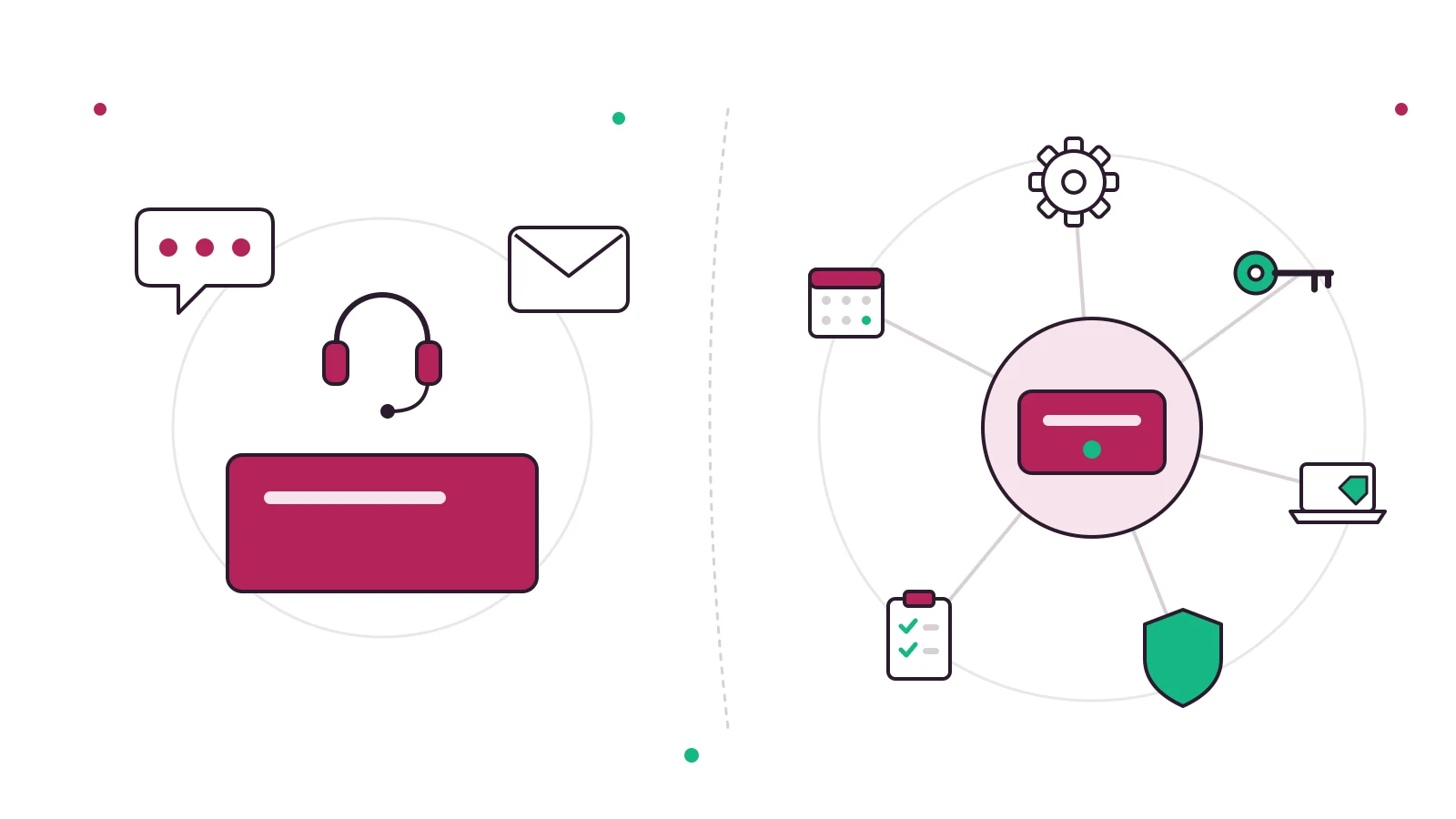
Help desk vs service desk comes down to scope. A help desk is reactive: it takes incoming questions and problems and fixes them, one ticket at a time. A service desk is the wider "single point of contact" that IT service management frameworks like ITIL describe: it handles incidents too, but also service requests, and it connects users to other processes such as changes, licensing and third-party support. Every service desk does help desk work. Not every help desk is a service desk.
If you run customer support for a small business, you almost certainly need a help desk, not a service desk. If you run internal IT for hundreds of employees with access requests, approvals and asset tracking, the service desk model starts to earn its overhead. Below we unpack where the terms come from, compare them side by side, explain where desktop support fits, and give you a quick way to decide.
Help desk vs service desk: the definitions
Most confusion around help desk vs service desk exists because vendors use both labels loosely. One company sells a "service desk" that is really a ticket inbox. Another sells a "help desk" with change management built in. So it helps to start from neutral definitions, not product pages.
What a help desk is
Wikipedia's entry on the help desk describes it as "a department or person that provides assistance and information, usually for electronic or computer problems." Larger help desks route incoming requests, which it calls "issues", through a queue manager who assigns each one to the team best equipped to solve it.
That is the heart of a help desk: something breaks or someone is confused, they ask, and a person (or increasingly an AI agent) answers. The work is driven by incoming volume. Typical help desk metrics follow from that: first response time, resolution time, backlog size and customer satisfaction.
In practice, "help desk" now covers two worlds:
- Customer support help desks, where a business answers its own customers by email, live chat, WhatsApp or a help center. Our help desk guide covers this side in depth.
- IT help desks, where an internal team answers employees about passwords, laptops and software. See our IT help desk page for what that looks like in a small company.
What a service desk is
The service desk comes from IT service management (ITSM), the discipline of designing, delivering and running IT as a set of services for customers rather than a pile of systems. The Wikipedia article on IT service management defines a service desk as "a primary IT function within the discipline of IT service management (ITSM) as defined by ITIL," meant to provide a Single Point of Contact (SPOC) for users and IT staff.
The same article adds the line that settles most debates: "ITIL regards a call center or help desk as similar kinds of tech support which provide only a portion of what a service desk can offer." A service desk is a focal point for reporting incidents and for submitting service requests, and it also provides an interface for customer change requests, third parties such as maintenance contracts, and software licensing.
Key takeaway: a help desk answers "something is wrong, please fix it." A service desk also answers "I need something" (a new laptop, access to a system, a software license) and routes that need into a defined process.
Help desk vs helpdesk: is there a difference?
No. "Help desk" and "helpdesk" are two spellings of the same thing. You will see both in product names, job ads and documentation, and neither implies a different scope. The meaningful distinction is help desk vs service desk, not the space in the middle of the word.
Where the service desk idea comes from: ITIL and ISO/IEC 20000
You cannot really understand service desk vs helpdesk without a quick look at the two frameworks that shaped the vocabulary.
ITIL
ITIL (originally the IT Infrastructure Library) is the best-known collection of IT service management practices. According to its Wikipedia entry, ITIL was acquired by AXELOS in 2013, ITIL 4 was released in February 2019, and the current edition lists 34 practices, with "Service desk" sitting alongside separate practices such as incident management, service request management, change enablement and IT asset management.
That structure explains a lot. In ITIL, the service desk is the front door. Behind it sit other practices that do the specialized work: incident management restores service, change enablement approves changes, asset management tracks hardware and licenses. A help desk in the classic sense mostly covers the front door plus incident handling.
ISO/IEC 20000
The international standard for IT service management is ISO/IEC 20000. The ISO catalog page lists the current requirements document as ISO/IEC 20000-1:2018, "Service management system requirements." Its Wikipedia article notes the standard was first published in December 2005, was originally developed to reflect ITIL best practice, and that the ISO Survey for 2024 reported 27,332 certificates issued (24,056 of them in China).
Why does this matter for a small team? Because it shows who the service desk model is built for. Organizations that certify against ISO/IEC 20000 run formal IT services with audits, documented processes and service level agreements. That is a long way from a five-person support team answering customer emails.
Our take: the service desk is not a "better help desk." It is a help desk embedded in a service management system. If you do not have the rest of that system (change control, a service catalog, asset records), calling your inbox a service desk changes nothing except the label.
Service desk vs help desk, side by side
Here is how the two compare across the dimensions that actually change how a team works day to day.
| Dimension | Help desk | Service desk |
|---|---|---|
| Core purpose | Fix problems and answer questions as they arrive | Single point of contact for all IT services |
| Approach | Reactive, ticket by ticket | Broader, user-centered and process-driven |
| Main work types | Incidents, questions, how-to requests | Incidents, service requests, change requests, access, licensing |
| Typical users | Customers, or employees with tech issues | Employees and business units consuming IT services |
| Framework | Often none, or informal | Usually ITIL or ISO/IEC 20000 aligned |
| Key metrics | First response time, resolution time, CSAT, backlog | SLA compliance, request fulfillment time, change success, service availability |
| Typical tools | Shared inbox, ticketing, knowledge base, live chat | Service catalog, CMDB, change and asset management, ITSM workflows |
| Where it fits best | Customer support teams of any size, small IT teams | Mid-size to large IT organizations |
Incidents vs service requests
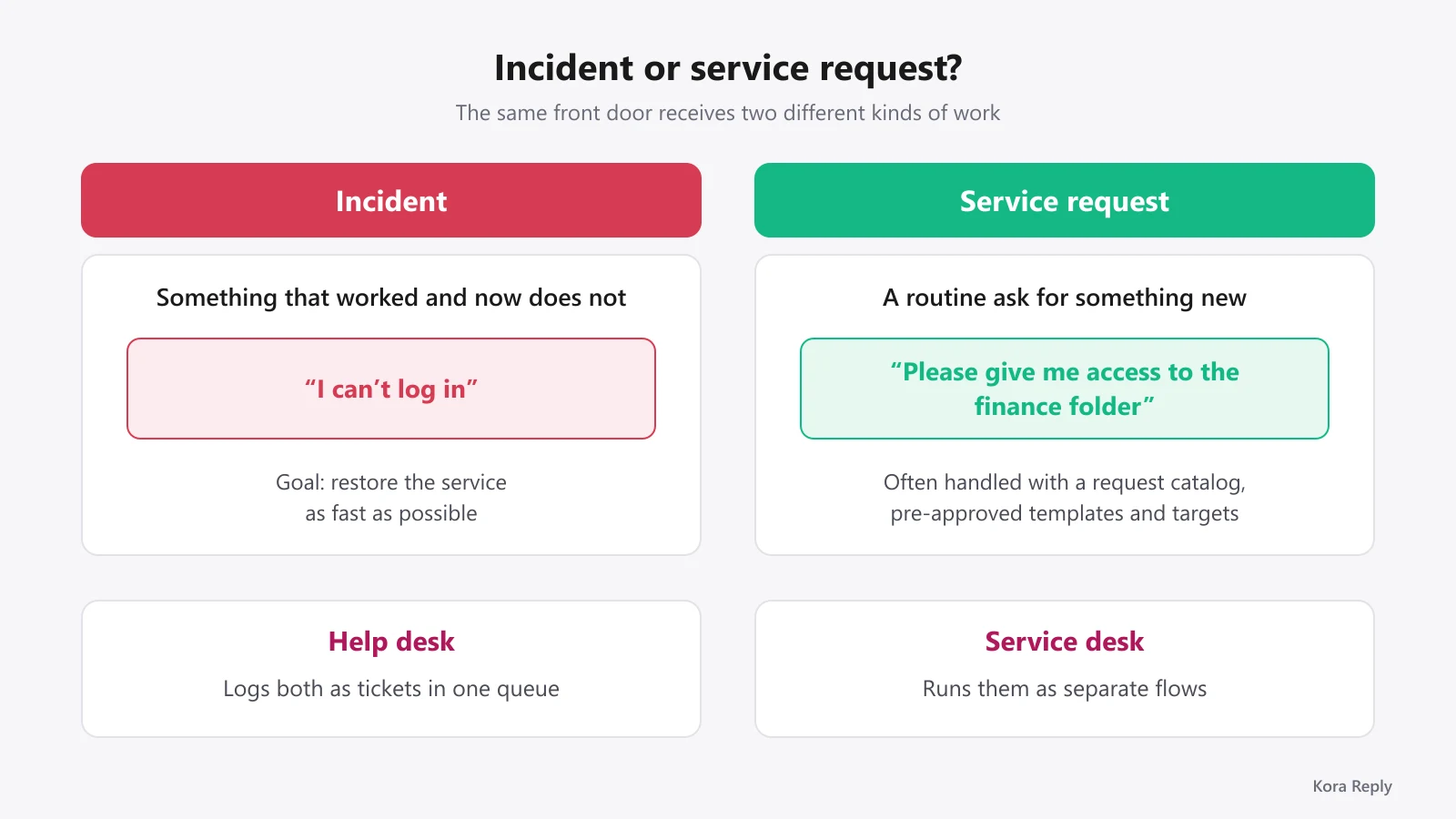
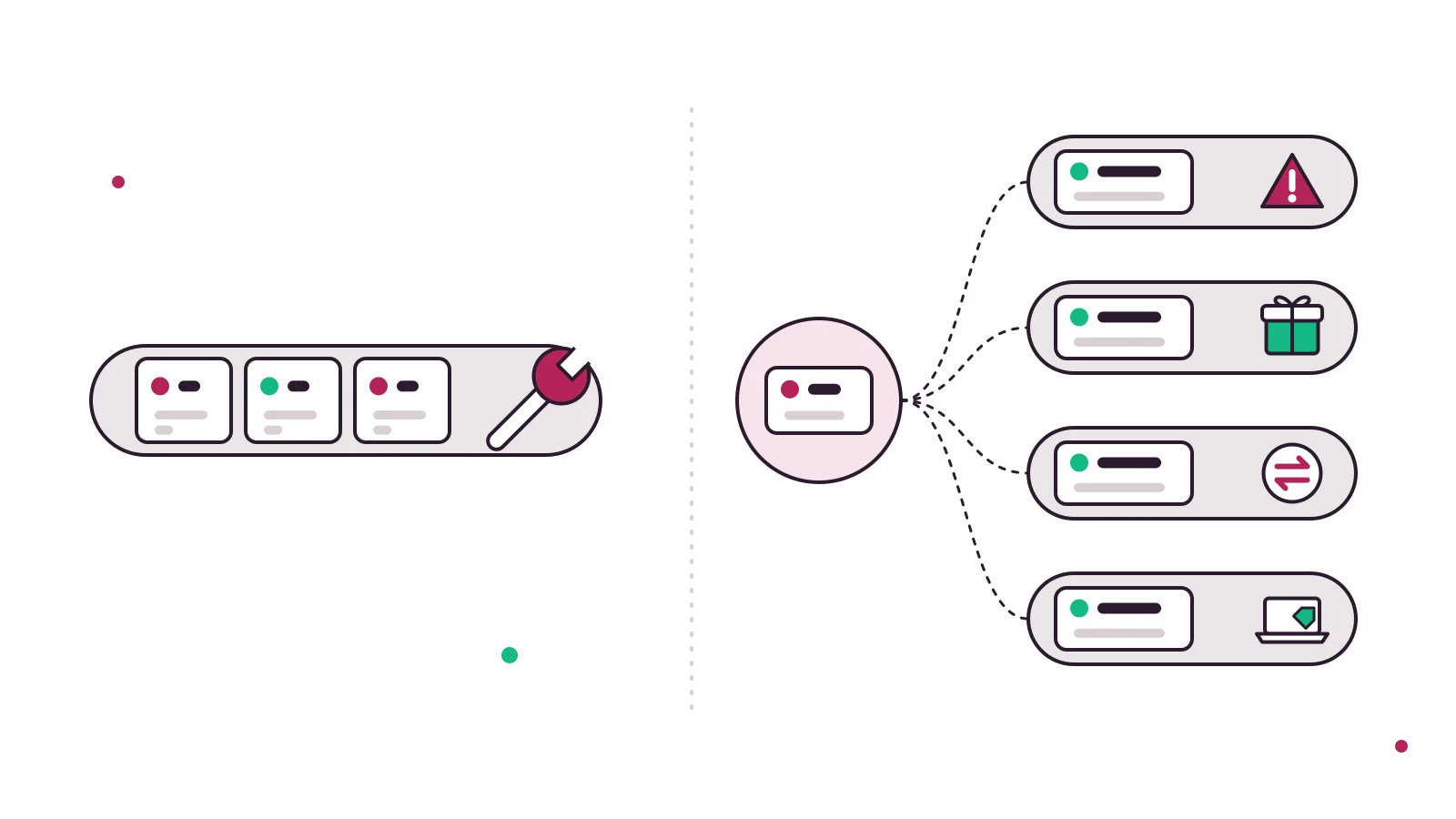
The single most useful distinction is between an incident (something that worked and now does not, like "I can't log in") and a service request (a routine ask for something new, like "please give me access to the finance folder"). The IT service management article describes service requests as "routine requests for services." A help desk can log both as tickets. A service desk treats them as different flows, often with a request catalog, pre-approved templates and fulfillment targets.
Metrics and SLAs
Both models use targets, but they measure different things. A help desk mostly tracks speed and satisfaction: how fast did we reply, how fast did we solve it, was the customer happy? Tools like our CSAT calculator help with the satisfaction side. A service desk adds service level agreements across whole services and tracks whether requests and changes were fulfilled within agreed windows. Even small help desks benefit from simple response targets, which is why SLA management is useful well before you need full ITSM.
Help desk vs desktop support (and IT support)
The "help desk vs desktop support" question is usually about job roles, not software. Here is the short version.
The support tiers
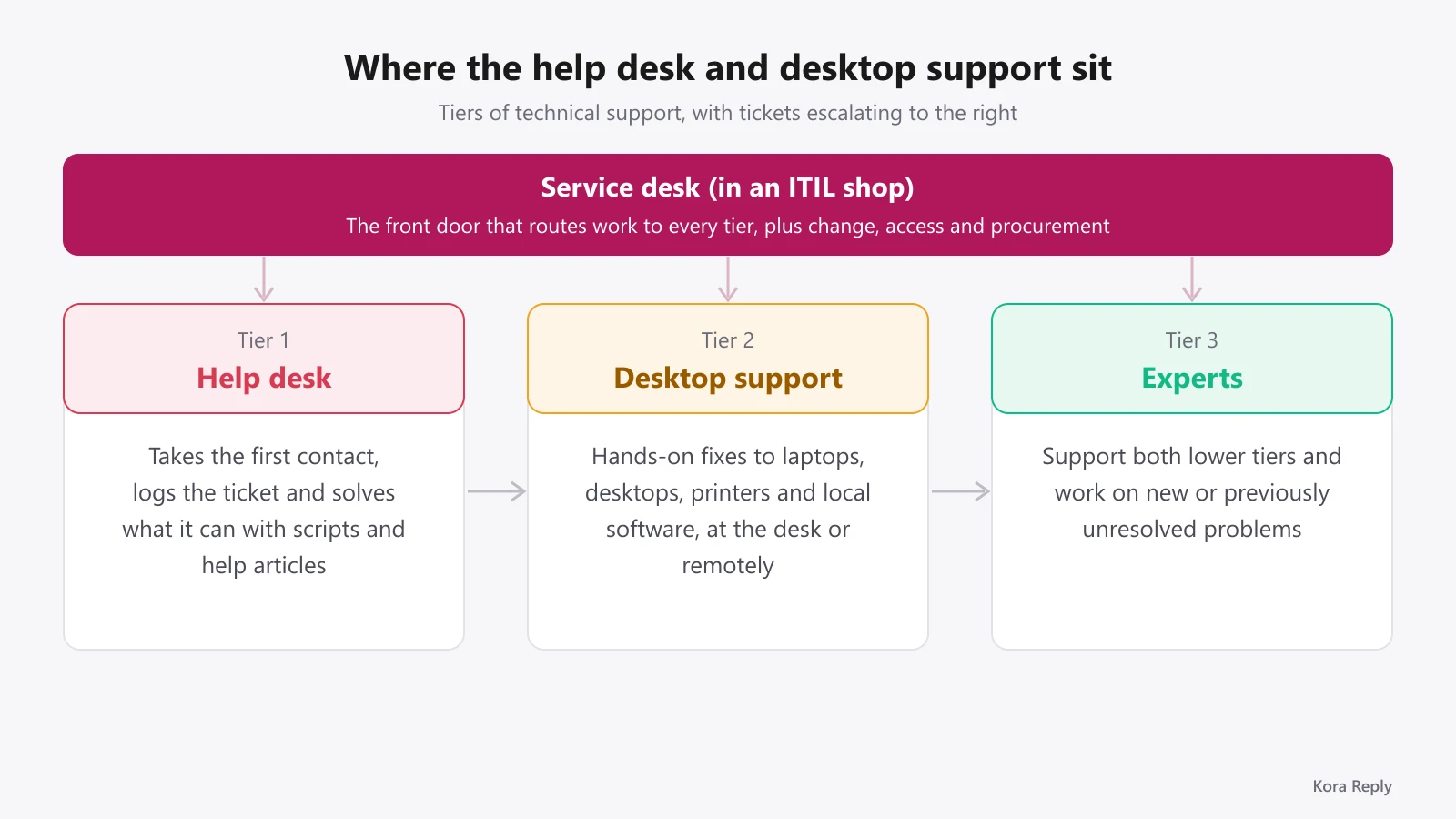
Most IT organizations split technical support into tiers. Wikipedia's technical support article describes Tier I (Level 1) as the first support level, whose first job is to gather the customer's information and determine the issue by analyzing symptoms. Tier II is a more in-depth level that costs more because its technicians are more experienced, and it assists Tier I. Tier III experts support both lower tiers and work on new or previously unresolved problems.
The help desk is usually Tier 1: it takes the first contact, logs the ticket, solves what it can with scripts and knowledge base articles, and escalates the rest.
Where desktop support sits
Desktop support is the hands-on layer. These technicians fix laptops, desktops, printers and local software, either at the user's desk or by remote control. In tier terms they usually sit at Tier 2. So in the "help desk vs desktop support" comparison:
- Help desk owns intake, triage, quick fixes and communication with the user.
- Desktop support owns physical and deep device-level fixes once a ticket is escalated.
- Service desk (in an ITIL shop) is the umbrella front door that routes work to both, plus to change, access and procurement processes.
"IT support" is the loosest term of all. It can mean any of the above, so when you see "help desk vs IT support" in a job ad, read the duties, not the title.
Pro tip: if you are a small company with no dedicated desktop technician, write down which tickets need hands-on device work. That list tells you whether you need a Tier 2 person, a managed IT provider, or simply better self-service articles so Tier 1 can close more tickets itself.
Which one does your team actually need?
Here is where we disagree with a lot of the content ranking for this topic. Some guides end with "the service desk is the modern, strategic evolution of the help desk, so you should upgrade." For most small teams, that advice is wrong.
You need a help desk if...
- You support customers, not internal IT users.
- Most work is questions and problems arriving by email, chat or messaging.
- Nobody on the team owns change approvals or hardware inventory, and nobody needs to.
- Your biggest pains are emails getting lost, two people replying to the same customer, and nobody knowing who owns what.
Those pains are solved by a shared inbox, proper ticket management with status, priority and assignment, saved replies (try our canned response generator) and a public knowledge base. None of that requires ITIL.
You need a service desk if...
- You run internal IT for many employees across departments.
- You process repeatable service requests: onboarding, access, software, hardware orders.
- Changes to systems need approval and an audit trail.
- You must track assets and licenses, or you are pursuing ISO/IEC 20000 or similar compliance.
The honest middle ground
When we designed the ticket model for Kora Reply, we deliberately left out change management and asset records. Our reasoning: a small customer-facing team gains nothing from approval chains and configuration records it will never fill in. What it needs is a single place where every conversation lands, gets an owner and a response target, and where repeat questions get answered once in a help article. That is a help desk, done well, and it is a perfectly respectable thing to be.
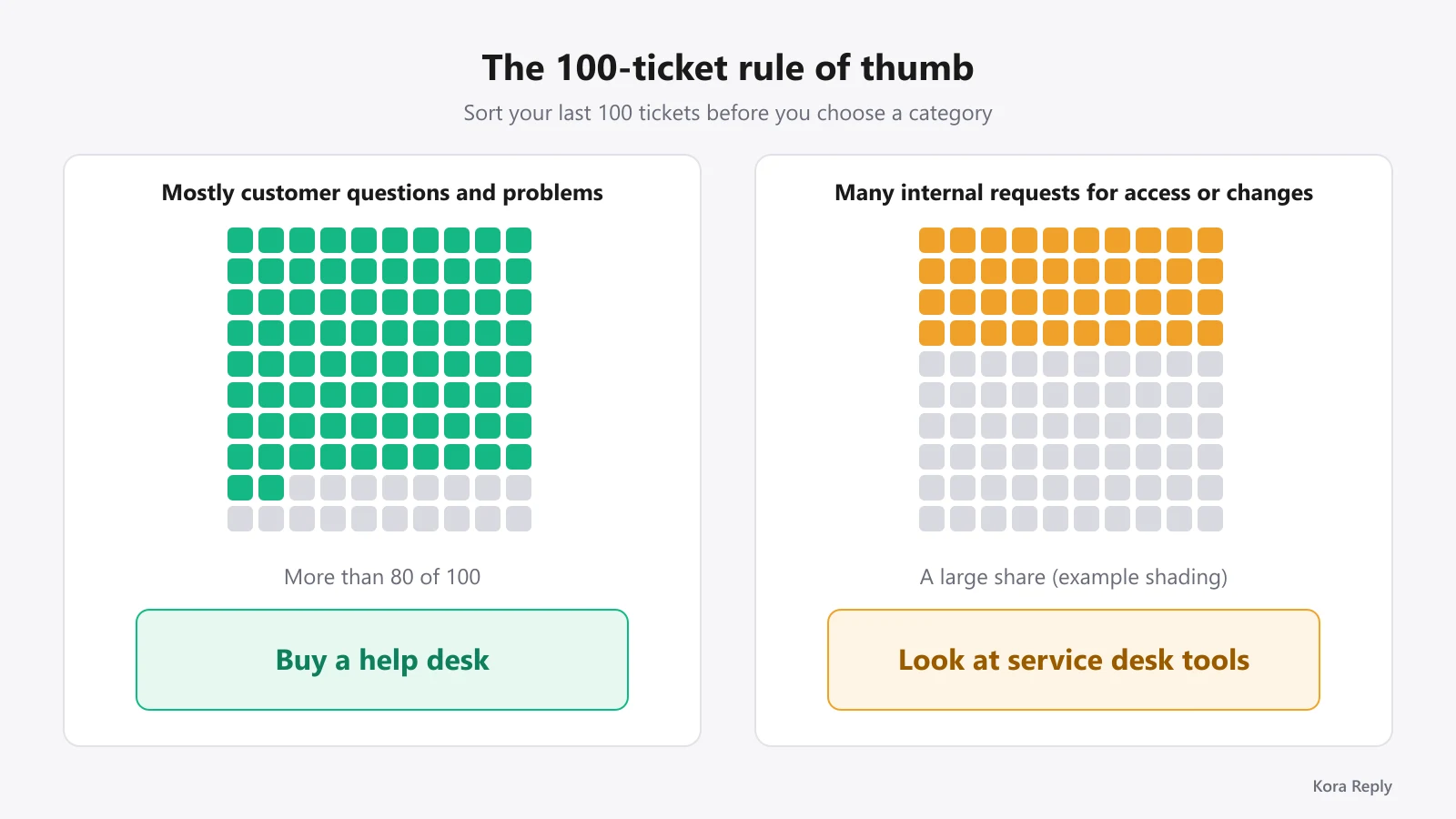
Rule of thumb: count your last 100 tickets. If more than 80 are customer questions or problems, buy a help desk. If a large share are internal requests for access, equipment or changes, look at service desk tools.
How help desk and service desk software differ
The software split mirrors the definitions. Customer help desk tools are built around conversations and channels. ITSM service desk tools are built around processes and records.
| Example tool | Category | What the official page showed (October 2026) |
|---|---|---|
| Help Scout | Customer help desk | Free plan for 5 users with 1 inbox; paid plans add inboxes, Docs sites and workflows |
| Zendesk | Customer help desk | Support Team plan at $19 per agent per month billed annually covers email and ticketing; messaging, live chat and help center start on Suite plans |
| Jira Service Management | IT service desk | Free for 3 agents; feature lists include incident, change and asset management |
| ManageEngine ServiceDesk Plus | IT service desk | Free edition for up to 5 technicians; editions add problem and asset management |
Prices change often, so check each vendor page before you buy. For a broader shortlist, read our best help desk software comparison, our roundup of ticketing tools, and, if budget is the constraint, our guide to a free ticketing system. If you are leaving a specific vendor, we also keep notes on Zendesk alternatives and Help Scout alternatives.
What to look for in a help desk
If the help desk side of the help desk vs service desk question is where you landed, check these five things before you sign up anywhere:
- Channels on the entry plan. Email, live chat and a help center should not require jumping two tiers.
- Ticket basics done properly. Status, priority, assignment, internal notes and response targets.
- Email that becomes tickets automatically. See how email ticketing works if you still run support from a personal mailbox.
- A knowledge base customers can search. It cuts repeat tickets and feeds AI answers.
- AI that hands off cleanly. An AI agent should answer from your own articles and pass the conversation to a human with a summary when it cannot help, instead of guessing.
Frequently asked questions
A help desk is reactive: it answers questions and fixes problems as they arrive. A service desk is the broader single point of contact defined by ITIL, handling incidents plus service requests, and acting as the interface to other IT service management processes such as change requests and software licensing.
Neither is better in general. A service desk adds structure (request catalogs, change and asset processes) that pays off for IT teams supporting many employees and systems. For a small customer support team, that structure is usually overhead, and a focused help desk with a shared inbox, tickets and a knowledge base fits better.
No. Help desk and helpdesk are two spellings of the same term. Both are common in product names and job titles, and neither implies a different scope.
Desktop support is a hands-on technical role that fixes laptops, desktops, peripherals and local software, often at the user's desk or by remote control. The help desk usually takes the first contact (Tier 1), logs a ticket and escalates hardware or complex issues to desktop support or Tier 2 technicians.
ITIL uses the term service desk. In the ITIL approach the service desk is the central point of contact between service providers and users, and ITIL treats a help desk or call center as offering only a portion of what a service desk does.
Most small businesses need a help desk first: one shared place to receive customer emails and chats, turn them into tickets, assign owners, track response targets and publish help articles. A full service desk becomes worth it when you manage internal IT for many staff, with access requests, change approvals and asset tracking.
Some IT service management tools, such as Jira Service Management and ManageEngine ServiceDesk Plus, cover help desk ticketing plus service desk processes like change and asset management. Customer support help desks focus on conversations, knowledge base and channels instead. Pick based on who you serve: customers or employees.
The bottom line
The help desk vs service desk debate is less about which is more advanced and more about who you serve. Customers with questions need a fast, organized help desk. Employees consuming dozens of IT services need a service desk with processes behind it. Start with the problem you actually have, not the label that sounds bigger.
If you are a small team that needs a shared inbox, tickets, a knowledge base and an AI agent that hands off to humans, you can try Kora Reply on the Free plan and see the pricing for larger teams. It is a new product built for exactly that job, and it is not trying to be an ITSM suite.
Sources
All pages fetched on October 25, 2026.
- Help desk (Wikipedia)
- IT service management, section Service desk (Wikipedia)
- ITIL (Wikipedia)
- ISO/IEC 20000 (Wikipedia)
- ISO/IEC 20000-1:2018 Service management system requirements (ISO)
- Technical support, tiers of support (Wikipedia)
- Help Scout pricing
- Zendesk pricing
- Jira Service Management pricing (Atlassian)
- ManageEngine ServiceDesk Plus pricing
Related articles
 Ticketing
Best Ticketing Software in 2026: 12 Tools for Small Teams
Ticketing software compared: 12 tools with verified October 2026 prices, free plans, AI fees and a checklist to pick the right one for a small team.Read article Ticketing