SLA ticketing that counts only your business hours
SLA ticketing in Kora Reply gives every ticket a first reply target based on its priority, counted in your own business hours and timezone, so the queue shows what is due soon and what is already overdue.
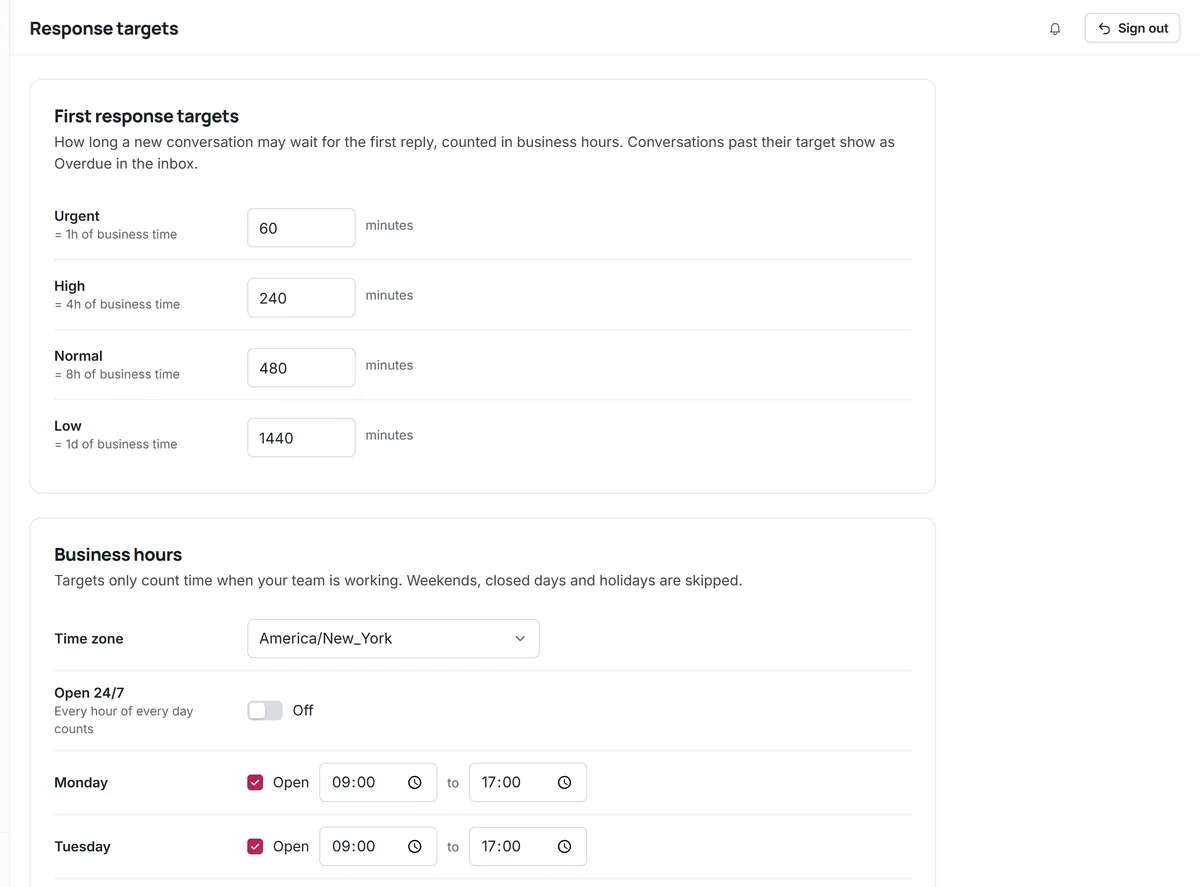
A first reply target for each priority
Defaults are 1 business hour for urgent, 4 for high, 8 for normal and 24 for low. Admins can change each target to match what your team can keep.
- Target follows the ticket's priority
- Edit targets per workspace
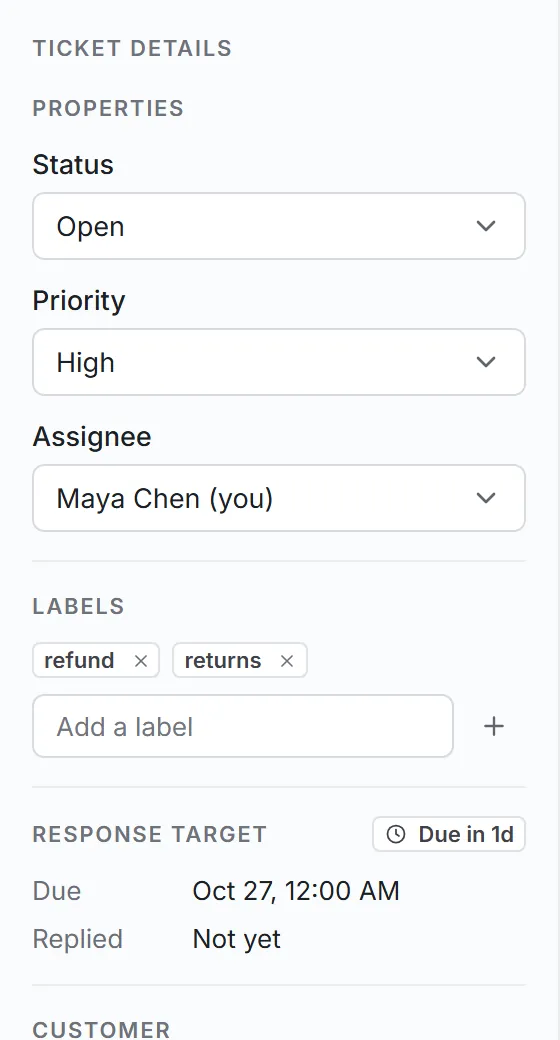
- Met or breached is recorded when you first reply
Clocks that stop when you close
Set opening hours per weekday, split shifts and holidays in your workspace timezone. A ticket that arrives on Friday evening is due on Monday, not overnight.
- Hours per weekday, including split shifts
- Your timezone, daylight saving handled
- Holidays skipped
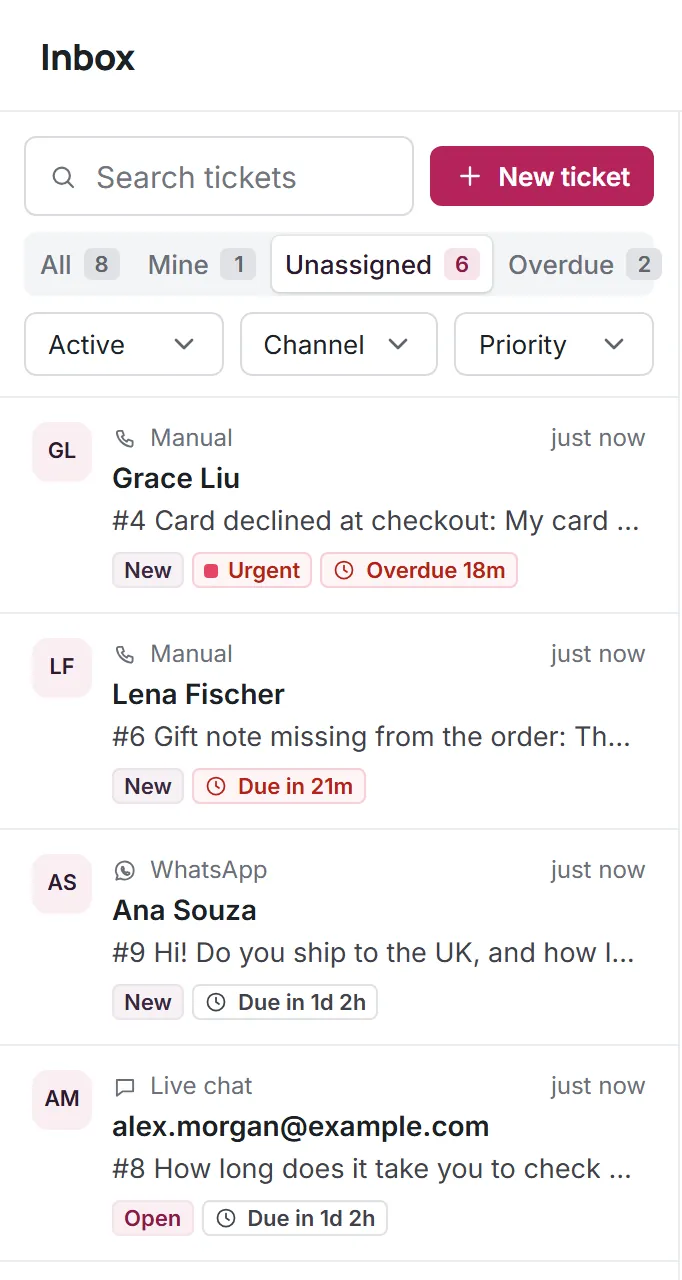
See what is about to slip
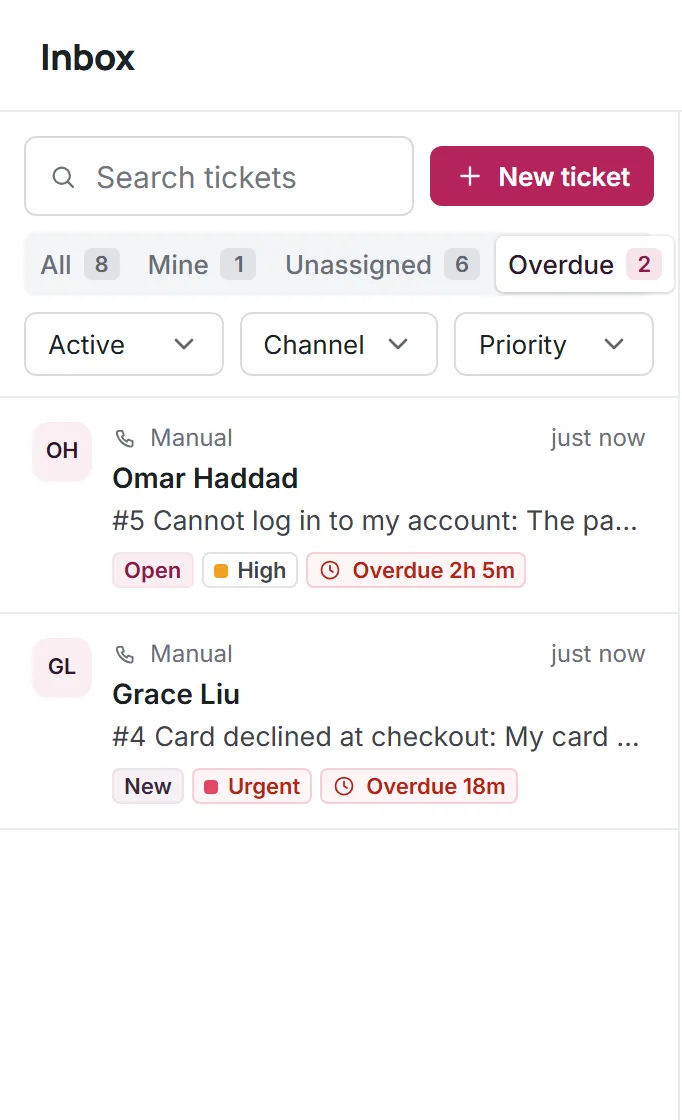
Tickets show on track, due soon (30 minutes left) or overdue. The Overdue view collects every ticket still waiting for a first reply past its target.
Helpdesk SLA basics, done properly
What SLA means in customer service for a small team: a promise about how fast someone answers, and a queue that keeps it.
First response targets
Measured from when the ticket arrives to your first public reply.
Business calendar
Weekdays, split shifts, holidays and timezone per workspace.
Due soon and overdue
States on every ticket and an Overdue view in the inbox.
Priority based
Changing the priority changes the target.
Owner visibility
Owners see their own tickets that are close to the limit.
Reply estimates
After an AI handoff, the customer is told when to expect a human reply, based on your targets and hours.
What SLA targets cover today
- Targets cover the first reply. Resolution time targets are not available yet.
- Reports on SLA performance over time are planned and not available yet.
Questions about SLA targets
Start answering customers together
Create a free workspace for 2 users, or ask us anything on WhatsApp.