A ticket management system your team will actually keep up to date
Kora Reply is a ticket management system that turns every email, chat and WhatsApp message into a numbered ticket with a status, a priority, an owner and a first reply target, so you can track each customer issue from new to resolved.
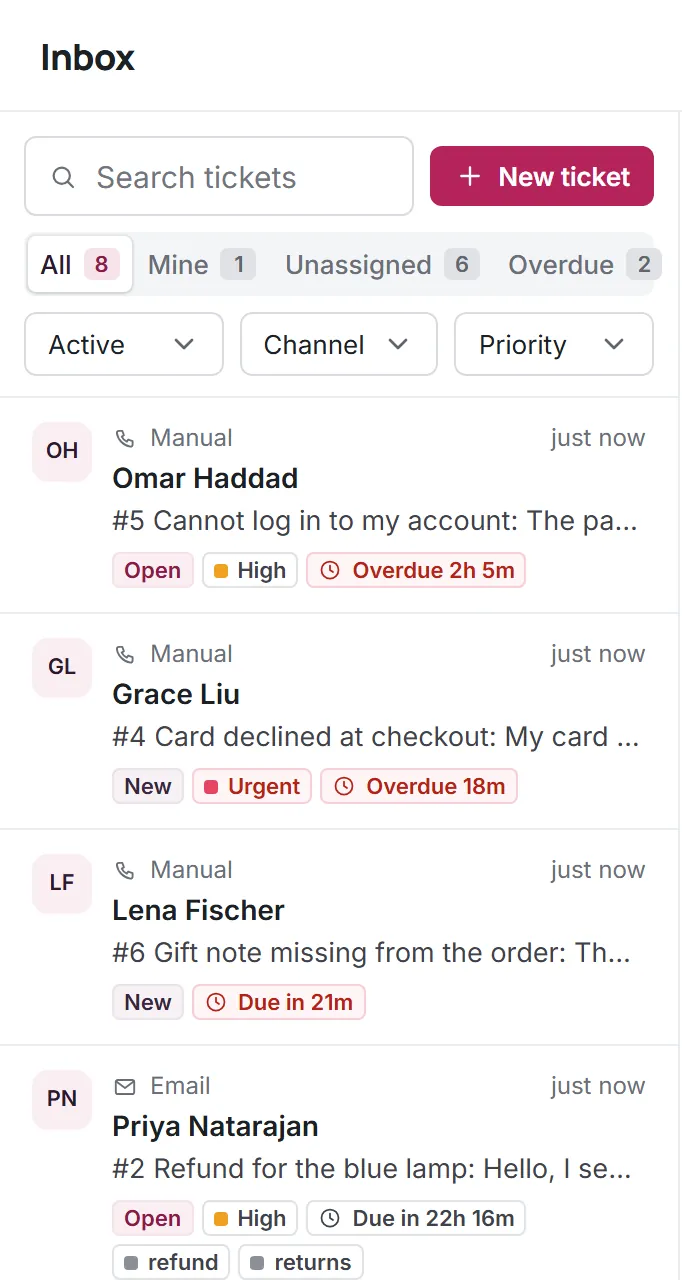
Every conversation becomes a ticket
Tickets are numbered per workspace (#1, #2, ...) and move through five clear statuses: new, open, pending, resolved and closed.
- New until someone responds, then open
- Pending while you wait on the customer
- A customer reply reopens pending or resolved tickets
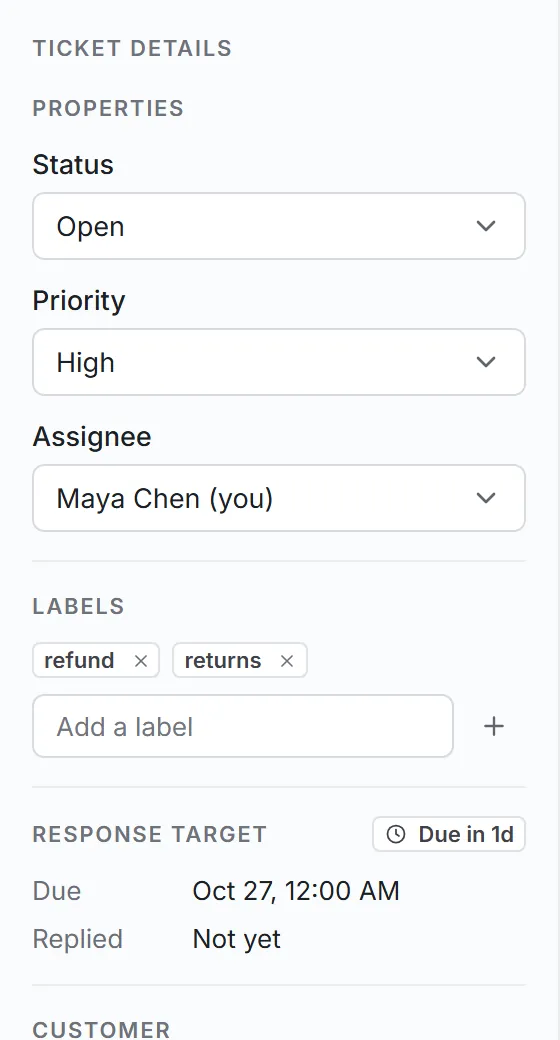
Priority, owner and labels on one panel
Set urgent, high, normal or low priority, pick an owner and add labels. The first reply target follows the priority automatically.
- Four priority levels
- One owner per ticket
- Up to 20 labels per ticket
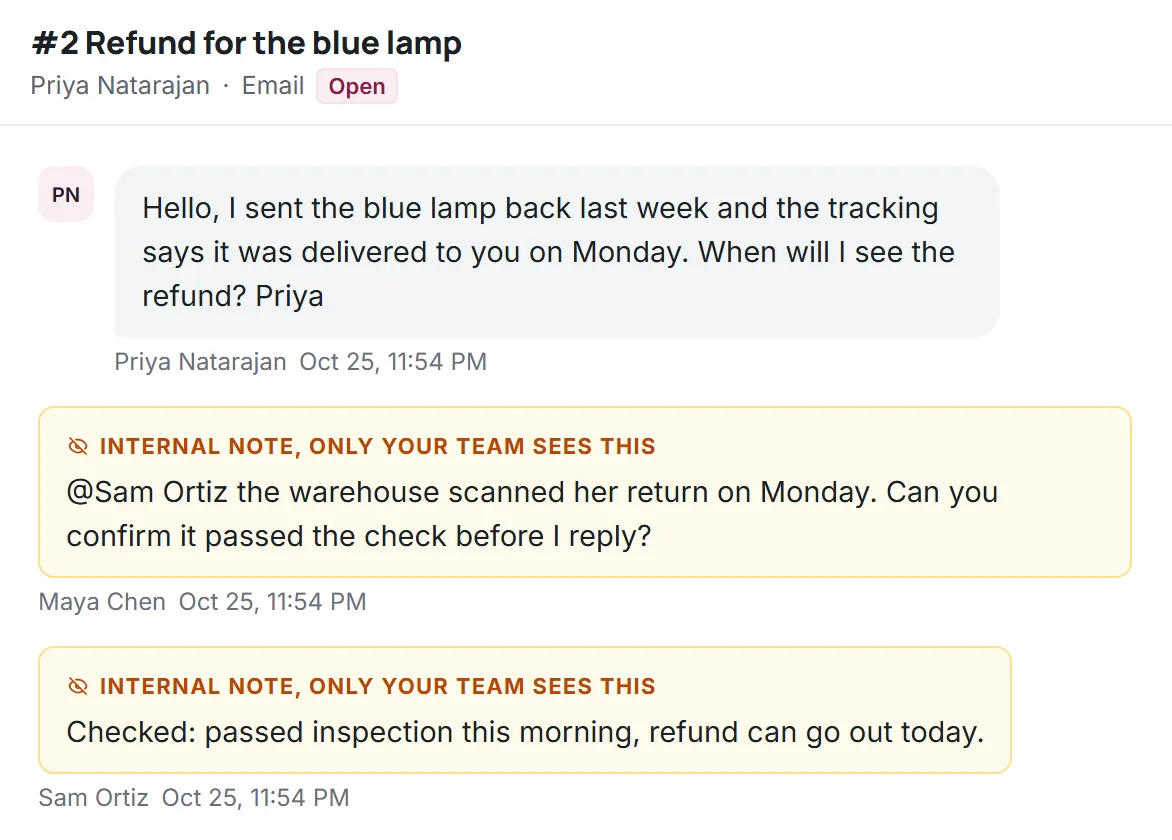
A full history on every ticket
Every status change, assignment and note is logged with who did it and when, so a teammate can pick up any ticket without asking around.
- Internal notes with @mentions
- Activity log per ticket
- A reply to a closed ticket opens a linked follow-up
Ticket management software without the admin work
The fields a small team needs, and nothing that takes a week to configure.
Customer tickets from every channel
Email, live chat and WhatsApp all create tickets in the same queue.
First reply targets
Business-hours targets per priority, with an Overdue view.
Views and filters
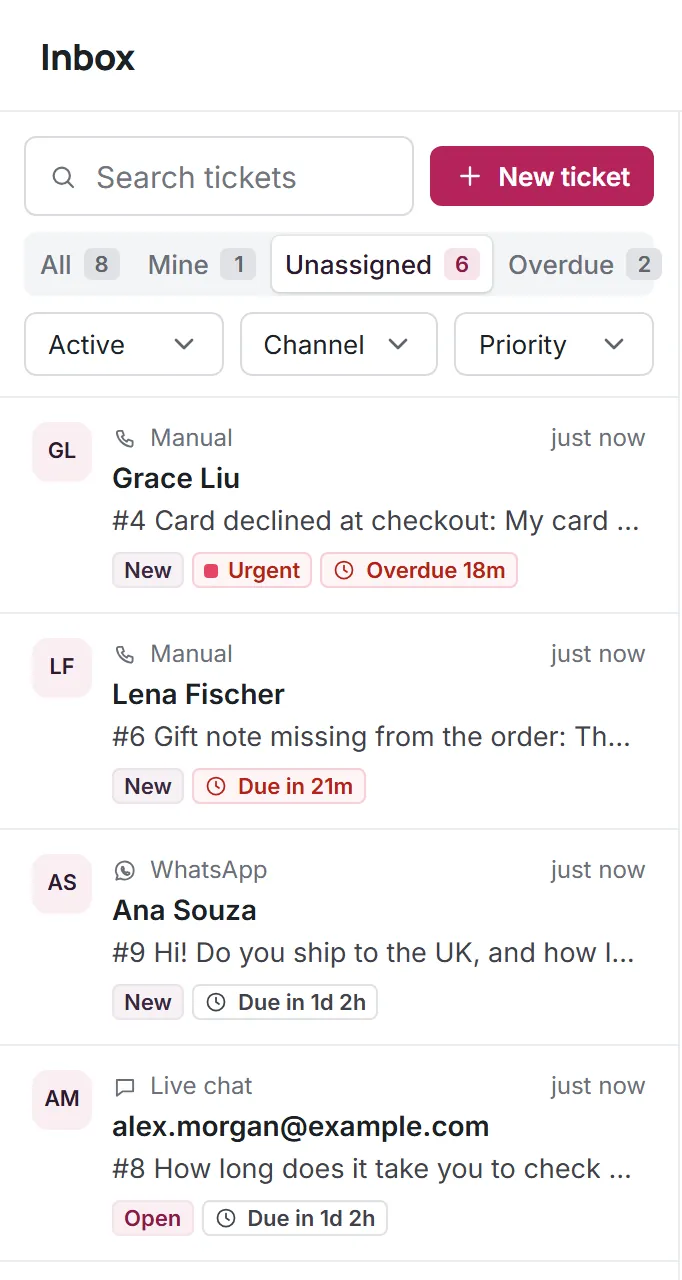
Mine, Unassigned and Overdue views plus channel and status filters.
Saved replies
Insert a prepared answer with a slash and edit it before sending.
AI handoff summaries
When Kora AI hands a ticket over, the summary sits above the first message.
Your data
Conversations, contacts and articles stay yours.
Questions about Tickets
Start answering customers together
Create a free workspace for 2 users, or ask us anything on WhatsApp.