Free Ticketing System: 9 Real Options and the Limits to Check
On this page
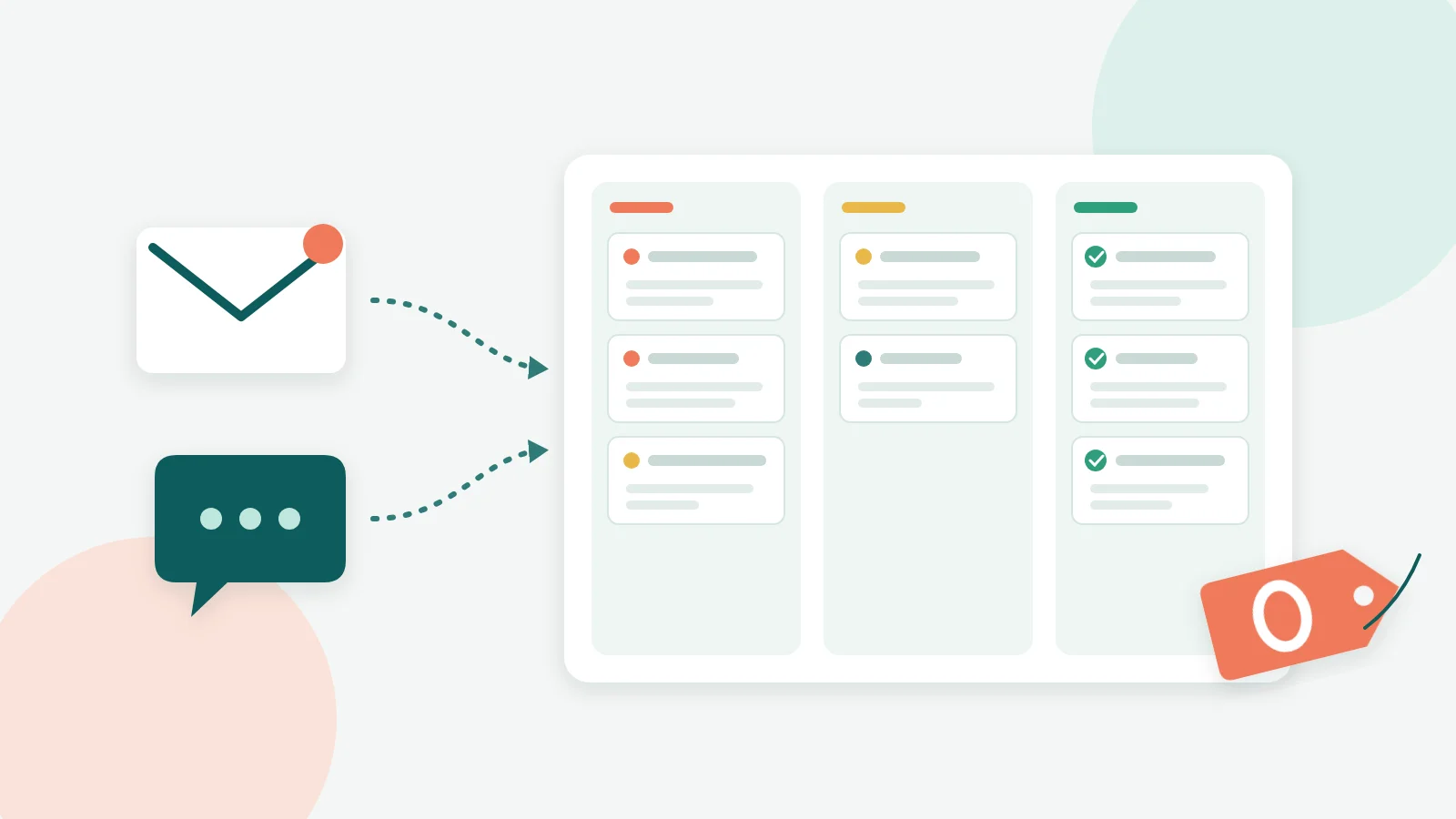
A free ticketing system is help desk software that turns emails, chats and requests into tracked tickets without a monthly fee. The real free ticketing options in October 2026 fall into three groups: free-forever plans (Help Scout, Zoho Desk, Jira Service Management, ManageEngine, Spiceworks, Chatwoot, Kora Reply), free self-hosted open source tools (osTicket, FreeScout), and free trials that end (Zendesk, Freshdesk). The right pick depends less on features than on the limits: how many users, how many conversations, which channels, and how long your data is kept.
This guide compares nine options that cost nothing to start, explains the caps that each vendor states on its own pricing page, and gives you a short checklist so you do not have to migrate again in six months. Every price and limit below was checked on the vendor's official page in October 2026, and each source is listed at the end.
In this guide
- What "free" means in a ticketing system
- 9 free ticketing system options compared
- The hidden limits of free help desk software
- Free IT ticketing vs customer support ticketing
- How to choose: a 5-question checklist
- Set up a free ticketing system in one afternoon
- When to move off a free plan
- FAQ
- Sources
What "free" means in a ticketing system
Search results for "free ticketing" mix three very different things, and most comparison lists blur them. Knowing which one you are looking at saves a lot of wasted setup time.
Free-forever plans
A free-forever plan is a hosted product with no end date and no card required, but with caps. Help Scout's Free plan includes 5 users, 1 inbox and 1 Docs site, with a cap of 100 contacts per month. Jira Service Management is "free forever for 3 agents". These plans are designed as the bottom step of a paid ladder, so the limits sit exactly where a growing team will feel them.
Free and open source (self-hosted)
osTicket describes itself as "a widely used and trusted open source support ticketing system", and FreeScout positions itself as a free self-hosted alternative to Zendesk and Help Scout. The software license costs nothing. The server, backups, updates and email setup are on you. We cover this route in depth in our guide to the open source ticketing system options.
Free trials
A trial opens a paid plan for a fixed period. Zendesk's pricing page lists a free trial, with paid plans starting at Support Team, $19 per agent per month paid yearly. Freshdesk offers "Try it free" buttons, with Growth at $19 per agent per month billed annually. Both are strong products, but neither is a free ticketing system in the long-term sense.
Key takeaway: if the pricing page shows a number of days, it is a trial. If it shows a number of users or conversations, it is a free plan. Self-hosted tools show neither, because the cost moves to your server and your time.
9 free ticketing system options compared
The table below lists only limits that each vendor publishes on its official page (checked October 2026). "Not stated" means we could not confirm the detail on that page, not that the feature is missing.
| Tool | Type | Free user cap | Volume or other limit | Best fit |
|---|---|---|---|---|
| Help Scout Free | Hosted, free plan | 5 users | 1 inbox, 1 Docs site, 100 contacts per month | Email-first customer support |
| Zoho Desk free edition | Hosted, free plan | 3 users | Email ticketing, limited features | Small teams already on Zoho |
| Jira Service Management Free | Hosted, free plan | 3 agents | Portal, email and chat included | Internal IT and ops teams |
| ManageEngine ServiceDesk Plus Cloud Standard | Hosted, free plan | 5 technicians | Paid tiers for larger teams | IT service desk basics |
| Spiceworks Cloud Help Desk Core | Hosted, free plan | 1 to 5 tech and admin seats | Unlimited end users, end user portal | In-house IT |
| Chatwoot Hacker | Hosted, free plan | 2 agents | 500 conversations per month, 30-day data retention | Live chat only |
| Kora Reply Free | Hosted, free plan | 2 users | 100 conversations and 50 AI conversations per month | Email plus live chat with an AI first reply |
| osTicket | Open source, self-hosted | Not capped by license | Your server and upkeep | Teams with a sysadmin |
| FreeScout | Open source, self-hosted | Not capped by license | Your server and upkeep | Shared mailbox on your own server |
Free plans built for customer support
Help Scout and Zoho Desk are the most familiar free ticketing choices for email support. Help Scout's free tier is generous on seats (5 users) but tight on structure and volume: one inbox means one support address, and the plan counts up to 100 contacts a month. Zoho's free edition gives you three user licenses and basic email ticketing, which is enough to replace a shared Gmail account but not much more. If you are weighing Help Scout's paid tiers against other tools, our Help Scout alternative comparison lays out the plan limits side by side.
Free plans built for IT teams
Spiceworks, ManageEngine and Jira Service Management grew up around internal requests: password resets, laptop issues, access requests. That makes them the natural free IT ticketing picks. Spiceworks calls its cloud help desk "the free ticketing tool for every department", and its Core plan includes unlimited end users and an end user portal. That "unlimited end users" detail matters for IT, because the people raising tickets are your coworkers, and you do not want to count them.
Where Kora Reply fits (honestly)
Kora Reply is a new help desk, so we have no long track record or review history to point to yet. Our Free plan at launch covers 2 users, one email inbox and one live chat widget, 100 conversations a month, 50 AI agent conversations and 20 public knowledge base articles. The AI agent answers from your published articles and hands the conversation to a person with a summary when it cannot help. Free workspaces show a "Powered by Kora Reply" badge. If you need 5 seats on day one, Help Scout's free plan is the better fit; if you want email and chat in one queue with an AI first reply, that is the gap we built for.
For a wider look beyond the free tiers, see our roundup of ticketing tools for teams of every size.
The hidden limits of free help desk software

Every free plan trades money for limits. The five that matter most are seats, volume, channels, data retention and exit options.
Most teams choose a free ticketing tool by scanning the feature list. In our experience planning Kora Reply's own Free tier, the feature list is the least useful part of the page. The limits are where the decision lives, because vendors place them deliberately at the point where a team starts to rely on the tool.
Seats and agents
Caps range from 2 (Chatwoot Hacker, Kora Reply Free) to 5 (Help Scout Free, ManageEngine Cloud Standard, Spiceworks Core). A useful rule: count everyone who will ever reply to a customer, including the founder who answers on weekends. Part-time responders still need a seat on most plans.
Conversation and ticket volume
Some plans cap volume directly. Chatwoot Hacker allows 500 conversations per month and Kora Reply Free allows 100. Help Scout Free counts contacts instead of tickets: up to 100 people per month, where several conversations with the same person count as one contact. Look at your current inbox: how many new threads arrived last month? Double it, because a ticketing system makes it easier for customers to reach you.
Channels
This is the limit that surprises people most. Chatwoot's free Hacker plan includes live chat, but its pricing page marks help center, automation rules and Captain AI as "Not included in Hacker". Zendesk's entry Support Team plan ($19 per agent per month, paid yearly) is built around email and ticketing, while messaging, live chat and AI agents start at Suite Team ($55 per agent per month, paid yearly), according to its pricing page. If your customers write on chat or WhatsApp, an email-only free tier is a false saving.
Pro tip: open your own inbox and tag the last 50 customer messages by channel before you compare tools. If more than a third arrived by chat or social, filter out every free plan that does not include that channel.
Data retention and export
Chatwoot Hacker keeps data for 30 days, which is fine for quick chat questions and painful for B2B deals that take a quarter to close. Also check how you get your data out. If you serve customers in the EU, Article 20 of the GDPR gives people the right to receive their personal data "in a structured, commonly used and machine-readable format", so a tool with a clean export makes that easier to honor.
Branding and ads
Free tiers often carry the vendor's mark. Spiceworks lists "Ad Free" as a feature of its paid plans, which tells you what the free Core plan includes. Kora Reply Free shows a "Powered by Kora Reply" badge. Neither is a dealbreaker for internal IT, but customer-facing teams should look at the widget and portal before committing.
Free IT ticketing vs customer support ticketing
"Free IT ticketing" and "free customer support software" are searched almost interchangeably, but the jobs are different. Picking a tool built for the other job is the most common mistake we see in small teams.
What an IT team needs
Internal IT is about requests from known people: employees, contractors, sometimes students. You want an end user portal, request categories, incident tracking and unlimited requesters. Spiceworks Core, ManageEngine Cloud Standard and Jira Service Management Free all lean this way. Our IT help desk page covers how Kora Reply handles internal requests, but if you need asset inventory or change management, an ITSM-first tool is the better match today.
What a customer support team needs
Customer support is about strangers who expect fast, friendly replies on the channel they chose. That means a shared inbox, email ticketing, live chat, saved replies and a public help center so customers can answer themselves. Response-time targets matter more than asset fields. If you are unsure which category your team falls into, our explainer on help desk vs service desk draws the line clearly.
A contrarian take
Plenty of free ticketing advice says "start with the most powerful free tool so you never outgrow it." We disagree. A heavy ITSM suite configured by a two-person support team usually ends up half set up and ignored. The best free ticketing system is the one your team actually opens every morning, even if it has fewer fields.
How to choose: a 5-question checklist
Before you sign up for any free ticketing plan, answer these five questions. They take about 15 minutes and rule out most of the list.
- Who replies? Count every person who answers customers or coworkers, including part-timers. Compare that number with each plan's seat cap.
- Where do requests arrive? Email only, or email plus chat, social and WhatsApp? Remove any plan that misses a channel carrying a third or more of your volume.
- How many conversations per month? Use last month's inbox as a baseline and add headroom. Plans with a published monthly cap (Help Scout, Chatwoot, Kora Reply) make this math easy.
- How long must you keep history? If you sell to businesses or handle warranty claims, a 30-day retention window is too short.
- What happens when you leave? Look for CSV or API export of tickets and contacts. Moving later is far easier when your history comes with you.
Benchmark: among the free plans in this guide, published seat caps range from 2 to 5. If your answer to question 1 is six or more, plan for a paid tier or a self-hosted tool from the start.
If you are comparing paid options too, our list of the best help desk software applies the same checklist to plans at every price point, and the help desk guide explains the core building blocks.
Set up a free ticketing system in one afternoon
A free ticketing tool still needs a little structure to beat a shared inbox. This is the setup order we recommend, and it works on almost any of the options above.
Step 1: Connect one channel first
Start with the address customers already use, usually support@ or hello@. Forward it into the help desk and send yourself a test. Add live chat only after email tickets flow cleanly, so you debug one thing at a time.
Step 2: Define statuses and owners
Keep it to four statuses: open, pending (waiting on the customer), resolved and closed. Every ticket gets one owner. "Everyone owns it" is how messages get missed, and fixing that is the entire point of ticket management.
Step 3: Write five saved replies
Look at your last 50 messages and find the five questions you answer most. Turn each into a saved reply with a personal opening line. If you need a starting point, our free canned response generator drafts templates you can edit.
Step 4: Publish your first help articles
Turn those same five answers into public help center articles. A good self-service portal answers repeat questions before they become tickets, and on Kora Reply those articles are also what the AI agent uses to draft its first reply.
Step 5: Set a response-time target
Pick a realistic first-response target, such as 4 business hours, and review it weekly. Even on a free plan, a visible target changes behavior. Paid tools enforce it with alerts, which is what SLA management adds.
When to move off a free plan
A free ticketing plan is a starting line, not a destination. Upgrade, or switch tools, when the limits start making decisions for you:
- You hit the seat cap and someone is replying from a personal inbox again.
- You need a second support address or a new channel such as WhatsApp.
- Customers ask about tickets older than your retention window.
- You want automatic assignment, response-time alerts or reporting the free tier does not include.
At that point, compare total monthly cost, not the headline seat price. AI resolutions are often billed separately: Help Scout charges $0.75 per AI resolution on top of seats, according to its pricing page. Kora Reply's paid plans start at $12 per user per month with a pooled AI conversation quota included; the details are on our pricing page, and our small business help desk page explains which plan fits which team size. Whatever you choose, keep the checklist above handy, because the right free ticketing tool is the one whose limits you understood before you started.
Frequently asked questions
Yes. Several vendors offer free-forever plans, for example Help Scout Free (5 users, 1 inbox), Zoho Desk's free edition (3 users), Jira Service Management Free (3 agents), ManageEngine ServiceDesk Plus Cloud Standard (up to 5 technicians) and Spiceworks Cloud Help Desk Core (1 to 5 tech and admin seats). Open source tools such as osTicket and FreeScout cost nothing to license, but you pay for hosting and maintenance.
It depends on the channel your customers use most. For email-first customer support, Help Scout Free and Zoho Desk's free edition are common starting points. For internal IT requests, Spiceworks Core, ManageEngine ServiceDesk Plus Cloud Standard and Jira Service Management Free are built around IT workflows. If you need live chat and email in one free plan, compare Chatwoot Hacker and Kora Reply Free.
A free plan has no end date but caps users, volume or features. A free trial opens a paid plan for a fixed number of days and then asks you to pay. Zendesk and Freshdesk, for example, offer free trials rather than free-forever plans on their pricing pages.
Yes. Spiceworks markets its cloud help desk as a free ticketing tool for every department, ManageEngine ServiceDesk Plus Cloud Standard is free for up to 5 technicians, and Jira Service Management Free covers 3 agents with a customer portal, email and chat.
The license is free, but the total cost is not zero. You need a server, backups, email deliverability setup, security updates and someone who can fix it when it breaks. For a team without a technical owner, a hosted free plan is usually cheaper in practice.
Check five things: the user or agent cap, the monthly conversation or contact cap, which channels are included (email, chat, WhatsApp), how long data is kept, and whether you can export your tickets later. Chatwoot Hacker, for example, keeps data for 30 days.
Upgrade when the plan starts shaping how you work: when you hit the user cap, when you need a second inbox or channel, when you need response-time targets or automation, or when the retention window is shorter than your customers' buying cycle.
Sources
All pages fetched and checked in October 2026. Prices and limits change often, so confirm on the vendor page before you buy.
- Help Scout pricing: Free plan with 5 users, 1 inbox, 1 Docs site and 100 contacts per month; $0.75 per AI resolution.
- Zoho Desk pricing and editions: free edition with three user licenses and email ticketing.
- Jira Service Management pricing: "Free forever for 3 agents" with portal, email and chat.
- ManageEngine ServiceDesk Plus pricing: Cloud Standard listed at $0 for 5 technicians.
- Spiceworks Cloud Help Desk: Core plan free for 1 to 5 tech and admin seats, unlimited end users; "Ad Free" listed on paid plans.
- Chatwoot pricing: Hacker plan with 2 agents, 500 conversations per month, live chat, 30-day data retention.
- osTicket: open source support ticketing system.
- FreeScout: free self-hosted help desk and shared mailbox.
- Zendesk pricing: free trial; Support Team from $19 per agent per month paid yearly (email and ticketing); messaging and live chat on Suite Team from $55.
- Freshdesk pricing: Growth from $19 per agent per month billed annually.
- GDPR Article 20: right to data portability in a machine-readable format.
Related articles
 Ticketing
Best Ticketing Software in 2026: 12 Tools for Small Teams
Ticketing software compared: 12 tools with verified October 2026 prices, free plans, AI fees and a checklist to pick the right one for a small team.Read article Customer feedback