An email ticketing system that keeps every thread together
Kora Reply is an email ticketing system: forward your support address to your Kora Reply inbox and every customer email becomes a ticket, replies thread back into the same ticket, and the whole team works from one place.
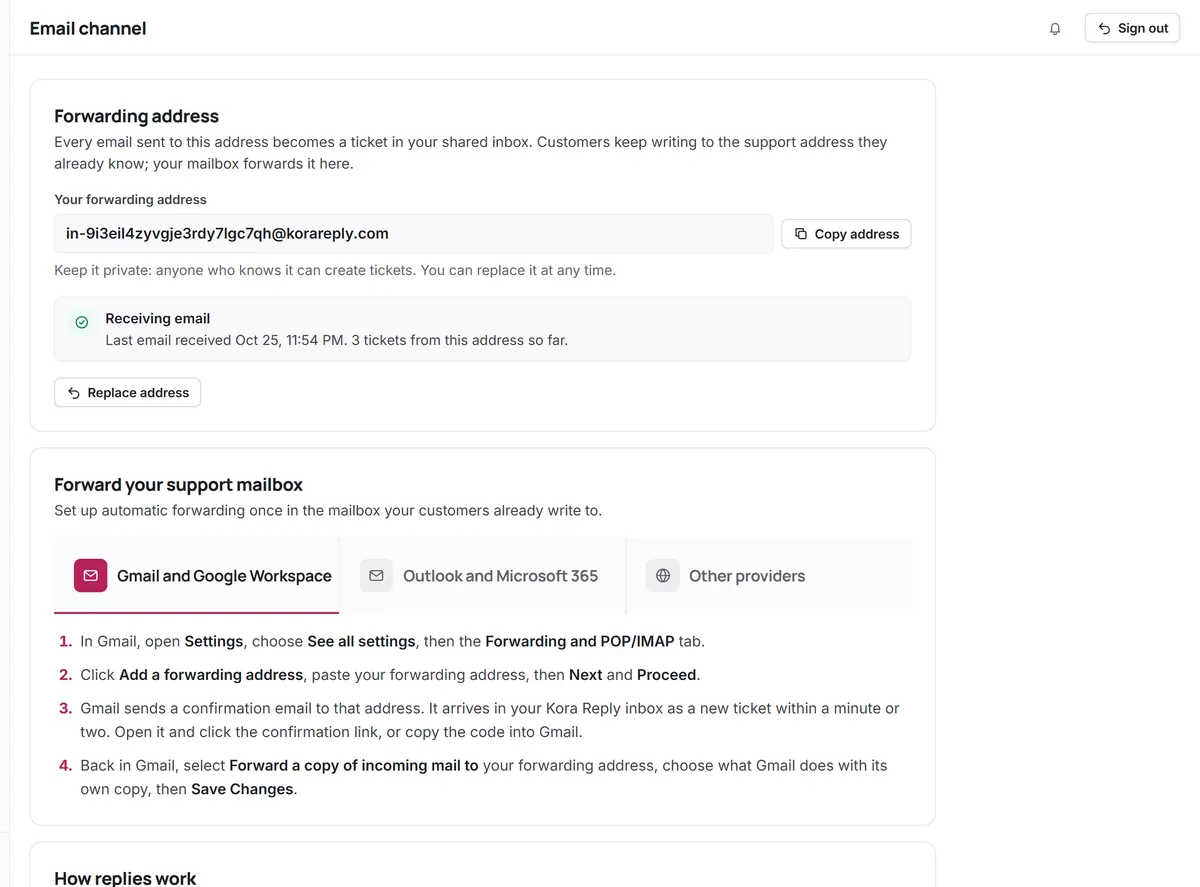
Forward once, every email becomes a ticket
Each email inbox gets its own forwarding address. Set your mail provider to forward support@ to it and new emails arrive as tickets.
- One forwarding address per inbox
- Attachments up to 10 MB each
- Executable attachments are blocked
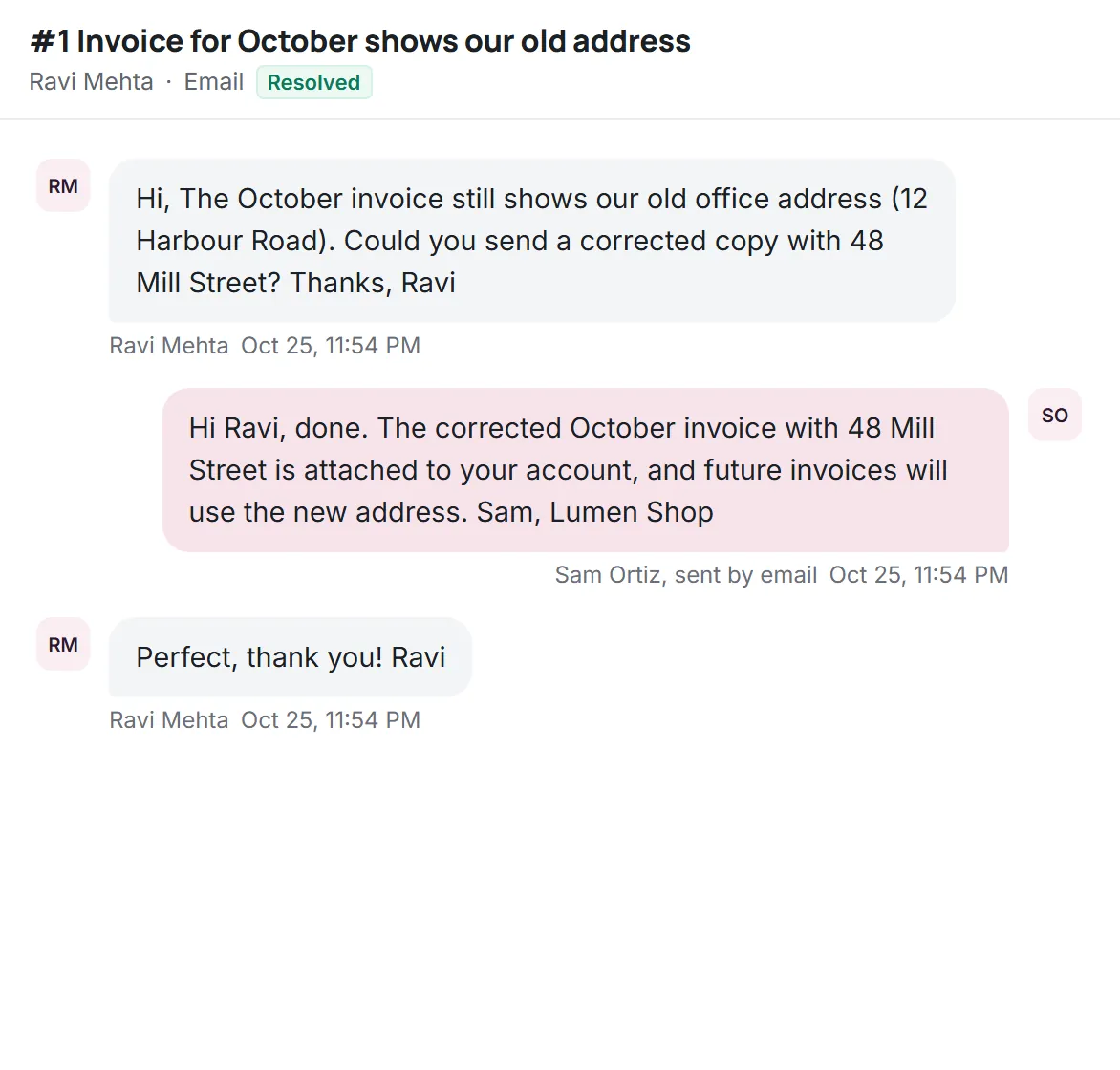
Replies stay in the same ticket
Kora Reply threads replies using standard email headers, so a back-and-forth stays one ticket instead of five.
- Threaded by Message-ID and In-Reply-To
- A reply to a closed ticket opens a linked follow-up
- Auto-replies never trigger auto-replies
Help desk email that works with the mailbox you have
Keep your address on Google Workspace, Microsoft 365 or any provider that can forward mail.
Owners and priorities
Every email ticket gets an owner, a priority and a first reply target.
Saved replies
Answer repeat questions faster.
Internal notes
Never leak into the email the customer receives.
Spam folder
Mail that fails sender checks (SPF, DKIM, DMARC) or comes from a sender you blocked goes to Spam, never gets an automatic answer, and is one click from the inbox.
Sending limits
Daily sending budgets keep delivery healthy; held replies send when the budget resets.
Next to chat
Email tickets share the queue with live chat and WhatsApp.
Good to know
- Replies are sent by Kora Reply with your workspace name. Sending from your own domain is planned and not available yet.
- The Free plan sends up to 20 emails a day per workspace.
Questions about Email
Start answering customers together
Create a free workspace for 2 users, or ask us anything on WhatsApp.