Customer Service Email: Write Replies That Solve Problems
On this page
A customer service email is a written reply from your support team that answers a customer's question, fixes their problem or confirms what happens next. The best ones do three things in order: show the customer you understood the issue, give the answer or fix in plain words, and name one clear next step with an owner and a time.
That sounds simple, yet most businesses get the basics wrong. SuperOffice's response time research reports that 62% of businesses never respond to customer emails at all, and those that do take over 12 hours on average, while nearly half of customers expect a reply within 4 hours. So the bar is low, and a team that writes clear, fast replies stands out quickly.
This guide covers how to structure an email for customer service, how to write it step by step, six email customer service examples you can adapt, the etiquette that keeps tone right, response time targets, and how to manage support email once more than one person answers it.
What makes a good customer service email
A good support reply is not about polished prose. It is about whether the customer can stop thinking about the problem after reading it. We use one test on every draft: if the customer had to reply, what would they ask? If the honest answer is "so what happens now?" or "which order do you mean?", the email is not finished.
Most strong replies share the same six parts. You will not need every part every time (a one-line confirmation does not need a subject line rewrite), but knowing the anatomy makes it easier to see what is missing.
| Part | Its job | Example |
|---|---|---|
| Subject line | Tells the customer what this email resolves, so they can find it later | "Your refund for order 4821 is on its way" |
| Greeting | Shows a person is writing to a person | "Hi Maya," |
| Acknowledgement | Proves you read their message, in one sentence | "Thanks for letting us know the charger stopped working after a week." |
| Answer or fix | Gives the solution first, then any detail | "We have sent a replacement today. Tracking: ..." |
| Next step | One action, one owner, one time | "You will get the tracking link by email within 24 hours." |
| Sign-off | Real name, team, a way to reply | "Sam, Support at Northwind" |
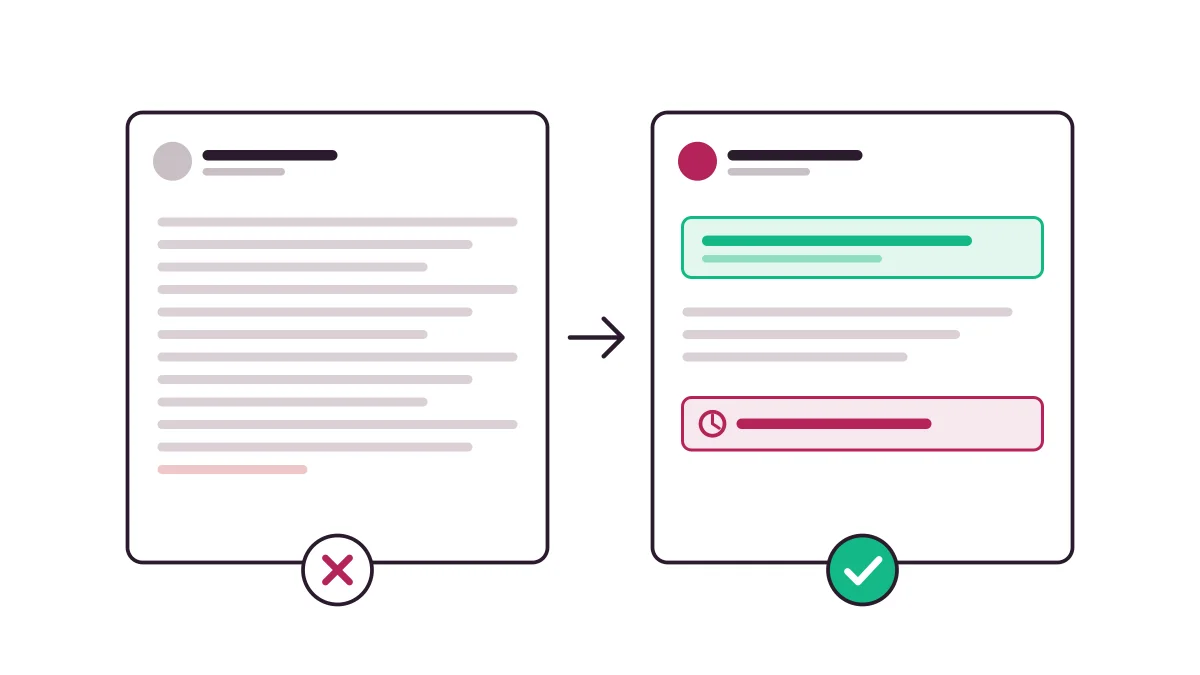
Put the answer in the first two lines
Readers skim. Nielsen Norman Group's reading research found that on an average web page, users have time to read at most 28% of the words, and 20% is more likely. Email is not a web page, but the habit carries over, especially on a phone. If the fix sits in paragraph four, plenty of customers will miss it and write back.
One email, one topic
When a customer raises two unrelated issues, answer both, but split them clearly with short headings or numbered points. If they need different people, say who owns which part. Mixing a billing answer into a bug explanation is how the billing part gets lost.
Key takeaway: A reply is finished when the customer has nothing left to ask. Structure it as acknowledgement, answer, next step, and the rest is polish.
How to write a customer service email in 7 steps
Good customer service email writing is a repeatable process, not a talent. These seven steps work for a refund, a bug, a how-to question or a complaint.
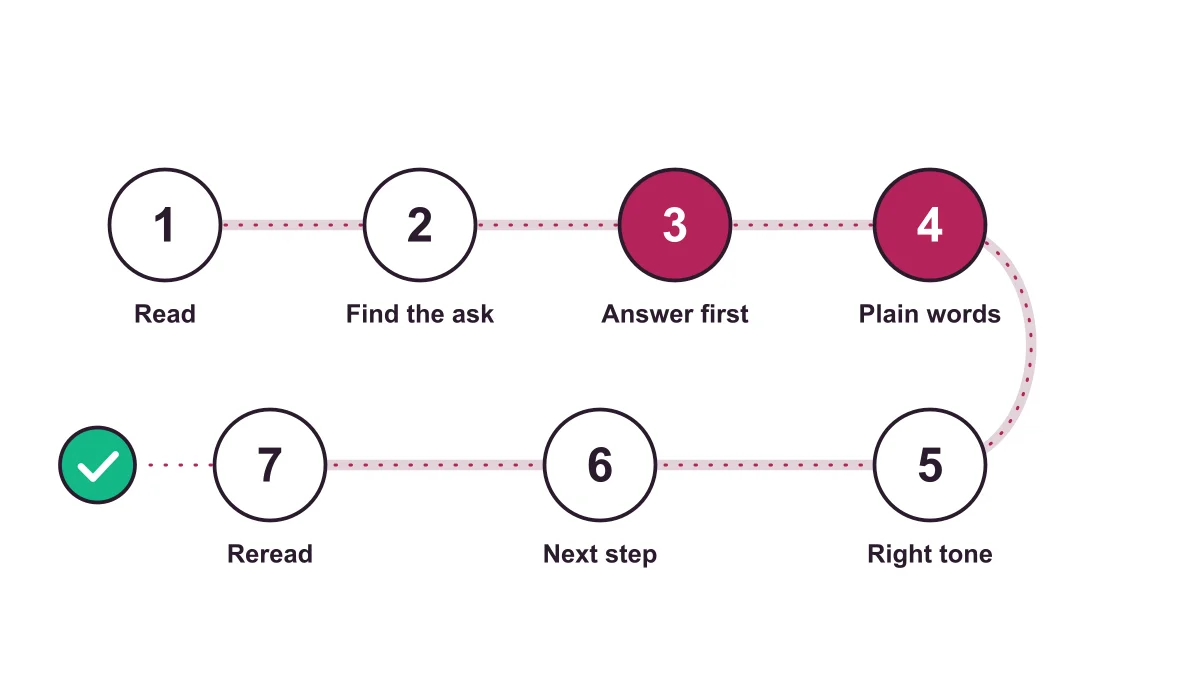
1. Read the whole thread and the customer's history
Before typing, check earlier messages, past orders and internal notes. Asking a customer to repeat information they already gave is the fastest way to lose their patience. A shared inbox or help desk that shows the full conversation history makes this step take seconds instead of minutes.
2. Identify the real question
Customers often describe symptoms, not the problem. "Your app is broken" might mean they cannot log in, or that a feature moved. Restate what you believe the issue is. If you are not sure, ask one precise question instead of guessing.
3. Lead with the answer
Write the solution or the decision first. Explanations, apologies and background come after. If the answer is "no", say so kindly in the first paragraph, then explain why and what you can offer instead.
4. Use plain words and short steps
Replace internal jargon ("your ticket was escalated to L2") with what it means for the customer ("a senior engineer is now looking at this"). For instructions, use numbered steps with one action each.
5. Match the tone to the moment
A cheerful tone that works for a feature question feels dismissive when someone was double charged. More on this in the etiquette section below.
6. Name the next step and owner
"We will look into it" is not a next step. "I will check with our warehouse and reply by Thursday at noon" is. If the customer needs to act, tell them exactly what to send or click.
7. Reread as the customer
Read the draft once as if you were angry, busy and on a phone. Cut anything that does not help. Check names, order numbers and links, because a wrong order number undoes all the good writing.
Pro tip: Write the next step first, then the rest of the email. It forces you to decide what will actually happen before you start describing it.
Email customer service examples for 6 common situations
These are illustrative examples, not real customer conversations. Adapt the facts, keep the structure. If you want ready-to-edit versions for dozens of scenarios, our free customer service email template generator builds them for you, and the canned response generator covers short replies.
Order delayed
Subject: Update on your order 4821
Hi Maya, your order left our warehouse later than planned, and I am sorry for the wait. It is now with the courier and the new delivery estimate is Friday. Here is your tracking link: [link]. If it has not arrived by Saturday, reply to this email and I will send a replacement the same day.
Sam, Support
Why it works: it admits the delay, gives the new date and offers a concrete fallback with a trigger.
Refund request you cannot approve
Subject: About your refund request for the annual plan
Hi Daniel, I checked your account and I cannot refund the annual plan, because the 30-day refund window ended on March 2. What I can do is switch you to monthly billing from your next renewal, so you are not charged for another full year. Would you like me to set that up?
Why it works: the "no" comes first, the reason is specific, and there is a real alternative with a yes or no question.
Known bug
Hi Priya, you are right, exports to CSV are failing for some accounts since this morning. Our engineers have found the cause and expect a fix today. I have linked your conversation to the issue, so you will get an email from me as soon as it is live. Until then, the PDF export still works.
Angry customer
Hi Tom, being charged twice is frustrating, and it should not have happened. I have refunded the duplicate payment of $49 today. Banks usually show it within 5 business days. I have also added a note to your account so this does not repeat at renewal.
Notice there is no defensive explanation of how the billing system works. The fix and the prevention are what matter to Tom.
Feature request
Hi Lena, thank you for the idea of scheduled reports. It is not something we offer today, and I do not want to promise a date we cannot keep. I have shared your use case with our product team. In the meantime, here is a two-step workaround using the export button: [steps].
Email for customer feedback
Subject: One quick question about your support experience
Hi Maya, your replacement charger was delivered on Friday. How satisfied were you with the help you got? Click a number from 1 (not at all) to 5 (very). That is the whole survey.
Ask once, after the issue is solved, and make it one click. For more question ideas, see our guide to customer satisfaction survey questions and how a CSAT score is calculated.
Customer service email etiquette and tone
Etiquette in support email is less about formality and more about respect for the reader's time and mood. The Mailchimp Content Style Guide puts it neatly: you have the same voice all the time, but your tone changes, and it changes depending on the emotional state of the person you are addressing. A support team needs exactly that habit.
Here is where we land, and it is a slightly unpopular view: "sorry" is overused in support email. One genuine apology when you got something wrong builds trust. Three automatic apologies in a routine how-to reply make you sound unsure and make the actual answer harder to find. Apologize for real mistakes, thank people for reports, and otherwise just help.
Phrases to swap
| Instead of | Try |
|---|---|
| "As per our policy..." | "Our refund window is 30 days, so..." |
| "Unfortunately, we are unable to..." | "We cannot do X, but we can do Y." |
| "Please be advised that..." | (delete it and state the fact) |
| "Your ticket has been escalated." | "A senior engineer is now looking at this." |
| "We apologize for any inconvenience." | "Sorry the export failed during your month-end close." |
| "Do not hesitate to contact us." | "Reply to this email and it comes straight to me." |
Small etiquette rules that matter
- Use the customer's name and sign with yours. A real name makes it easier to reply and harder to be rude.
- Never write in all caps or with multiple exclamation marks, even when sharing good news.
- Do not blame another team or the customer ("you must have entered it wrong"). Describe what happened and fix it.
- Keep humor for customers who used it first, and never on a complaint.
- Avoid attachments when a link or plain text works, since many customers read on phones.
How fast should you reply?
Speed is part of the message. A perfect answer that arrives two days late still reads as "we did not prioritize you". The SuperOffice data cited above shows the gap clearly: customers expect hours, most businesses deliver half a day or more, and a large share never reply at all.
Benchmark: According to SuperOffice, nearly half of customers expect a reply within 4 hours, the average business takes over 12 hours, and only 10% of companies use autoresponders.
Set a target you can actually keep
A small team does not need to promise one-hour replies around the clock. It needs a promise it keeps every time. Pick a first-response target per channel and priority (for example, urgent billing issues within 2 business hours, general questions within one business day), publish it, and track it. Response targets in a help desk, often called SLAs (service level agreements, a written promise of how fast you will respond), turn that promise into a timer your team can see. Kora Reply's SLA and response target features work this way.
Use an honest autoresponder
That 10% figure is surprising, because an instant acknowledgement is the cheapest improvement available. A useful one confirms the message arrived, states the real expected reply time, shares business hours and links to your knowledge base for common questions. Do not pretend it is a human reply, and do not promise "shortly" if shortly means tomorrow.
Managing customer service email as a team
Writing good replies is half the job. The other half is making sure every email gets one, exactly once, by the right person. That is where most growing teams struggle, because a shared password to a support@ mailbox does not tell anyone who is handling what.
| Setup | Works for | Where it breaks |
|---|---|---|
| Personal inbox | A founder answering a few emails a day | No shared history, vacations stall replies |
| Shared mailbox (for example in Outlook or Gmail) | 2 to 3 people with low volume | Double replies, no assignment, no response timers |
| Help desk with shared inbox | Teams that need ownership, notes and targets | Needs setup and a little process discipline |
If you are on Microsoft 365, our guide on how to add a shared inbox in Outlook is a reasonable first step. Once you see double replies or emails slipping through, it is time for a shared inbox built for support or an email ticketing system that turns each email into a ticket with status, priority, an assignee and internal notes.
What customer service email software should do
Most customer service email software covers the same core: assignment, internal notes, saved replies, collision detection and reporting. Pricing and limits vary a lot, so compare current official pages. As of October 2026, Help Scout's pricing page lists a free plan for up to 5 users and a Standard plan at $25 per user per month billed annually with unlimited saved replies, and Freshdesk's pricing page lists its Growth plan at $19 per agent per month billed annually with ticketing and a shared inbox.
Kora Reply is a newer option built for small teams: a shared inbox, tickets with status, priority, assignment, internal notes and response targets, saved replies, a public knowledge base, and an AI agent that answers from your knowledge base and hands the conversation to a human with a summary when it cannot help. It is new, so judge it on a trial with your own emails rather than on our word. Plans are on the pricing page.
Do not forget deliverability
A great reply that lands in spam helps nobody. Google's email sender guidelines require all senders to set up SPF or DKIM authentication for their sending domain and keep spam rates reported in Postmaster Tools below 0.3%. Senders of more than 5,000 messages a day to Gmail must set up both SPF and DKIM, plus DMARC. If your help desk sends from your domain, make sure those records are in place before you go live.
Pro tip: Automate the repetitive parts (routing, tagging, acknowledgements, answers to the same five questions) and keep humans on anything emotional or unusual. Our guide to customer service automation covers where to draw that line.
Mistakes that make customers write back
Every extra reply a customer has to send costs both of you time. These are the patterns that cause most of them:
- Answering the question you expected, not the one asked. Read the last message twice before replying, especially with templates.
- Asking for information already in the thread. Check history and order data first.
- Burying the answer. If the fix is in paragraph three, move it to line one.
- Vague next steps. "We will get back to you" invites a "when?" follow-up. Give a day.
- Closing the ticket too early. If you asked the customer to try something, keep it open until they confirm it worked or a reasonable time passes.
- Sending from a no-reply address. It tells customers you do not want to hear from them, which is the opposite of service.
- Copy-paste without editing. A saved reply that greets "Hi there" when the customer signed their name, or answers a different product, feels careless. Templates save time only when someone edits them.
A useful habit is to review a handful of resolved conversations each week and count how many needed more than one customer reply. That number tells you more about your email quality than any style guide.
Frequently asked questions
A customer service email is a written message from a support team to a customer that answers a question, fixes a problem, confirms an action or asks for feedback. It usually lives in a shared support inbox or help desk so the whole team can see the history.
As long as the answer needs and no longer. Most replies work in three short parts: one line that shows you understood the issue, the answer or fix in a few short paragraphs or numbered steps, and one clear next step. Nielsen Norman Group found that web readers have time to read at most 28% of the words on a page, so put the answer first and make the rest easy to scan.
Set a target you can keep and publish it. SuperOffice reports that nearly half of customers expect a reply within 4 hours while the average business takes over 12 hours. Many small teams aim for a first reply within one business day and send an instant acknowledgement that states the real expected time.
Use the customer's name, then restate their issue in one sentence so they know a person read it. For example: 'Hi Maya, thanks for flagging that your order shows as delivered but has not arrived.' Skip long openers like 'I hope this email finds you well'.
End with one specific next step and who owns it: what you will do and when, or the single thing you need from the customer. Then sign with a real first name and team name so the customer can reply to a person, not a no-reply address.
Yes, as a starting point. Saved replies keep facts and policies consistent and save typing, but every reply should be edited so it answers the customer's actual question. A template that ignores what the customer wrote reads worse than a short personal answer.
Send it after the issue is solved, keep it to one question such as a 1 to 5 satisfaction rating, and make answering possible in one click. Ask a follow-up open question only for people who want to add more.
Final thoughts
A strong customer service email is short on filler and long on certainty: the customer knows you understood, knows the answer, and knows what happens next. Get that structure right, reply within a time you have promised, and give your team one shared place to work from, and most "just following up" emails disappear on their own.
If your team is outgrowing a shared mailbox, you can try Kora Reply's shared inbox and ticketing with your own support email, or start with the free email template generator and improve your replies today.
Sources
- SuperOffice, "Customer service response times": superoffice.com/blog/response-times (62% of businesses never respond; average over 12 hours; nearly half of customers expect a reply within 4 hours; 10% use autoresponders)
- Nielsen Norman Group, "How Little Do Users Read?": nngroup.com/articles/how-little-do-users-read (at most 28% of words read, 20% more likely)
- Mailchimp Content Style Guide, "Voice and Tone": styleguide.mailchimp.com/voice-and-tone (same voice, changing tone based on the reader's emotional state)
- Google Gmail Help, "Email sender guidelines": support.google.com/mail/answer/81126 (SPF or DKIM and spam rate below 0.3% for all senders; SPF, DKIM and DMARC above 5,000 messages a day)
- Help Scout pricing, fetched October 2026: helpscout.com/pricing (Free plan up to 5 users; Standard $25 per user per month billed annually, unlimited saved replies)
- Freshdesk pricing, fetched October 2026: freshworks.com/freshdesk/pricing (Growth $19 per agent per month billed annually, ticketing and shared inbox)
Related articles
 Shared inbox
Add Shared Inbox to Outlook: New, Classic, Web, Mac, Mobile
Add shared inbox to Outlook in minutes: admin setup, steps for new and classic Outlook, web, Mac and mobile, plus fixes when the mailbox won't show.Read article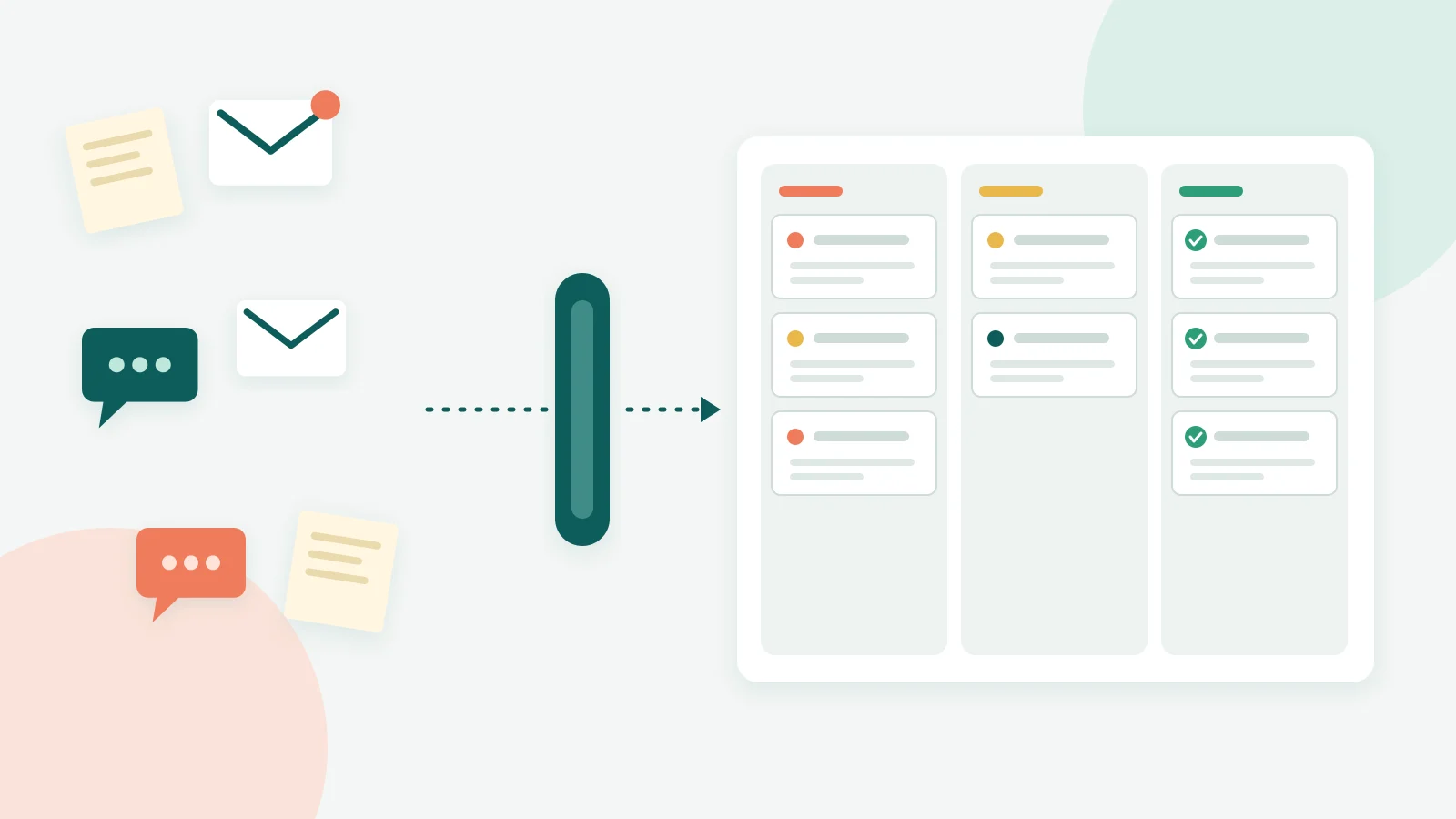 Ticketing