Customer Service Automation: A Guide for Small Support Teams
On this page
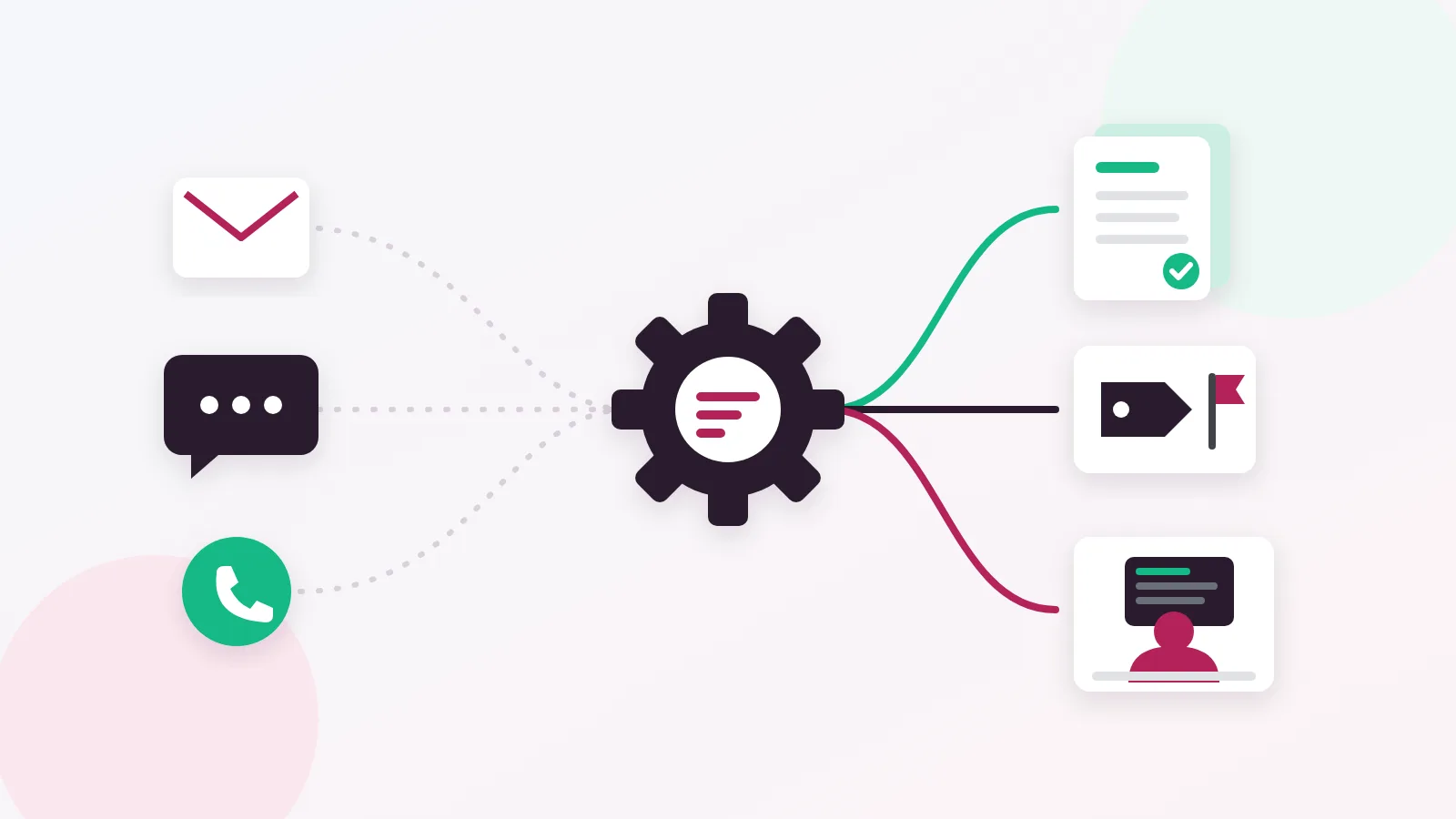
Customer service automation means letting software handle the repeatable parts of support, such as sorting messages, setting priority, inserting standard answers and replying to common questions from your help docs, so your people can spend their time on the conversations that need judgment. For a small team, the best place to start is not a chatbot. It is a clean intake flow: one shared inbox, automatic priority and response targets, and saved replies for the questions you answer every day.
This guide is written for teams of roughly 2 to 12 people who answer customers across email, live chat and WhatsApp. You will get a plain definition, the automations that pay off first, a "do not automate" list, a 90-day rollout plan, an honest look at how vendors price AI, and the metrics that tell you whether any of it is working.
What customer service automation actually covers
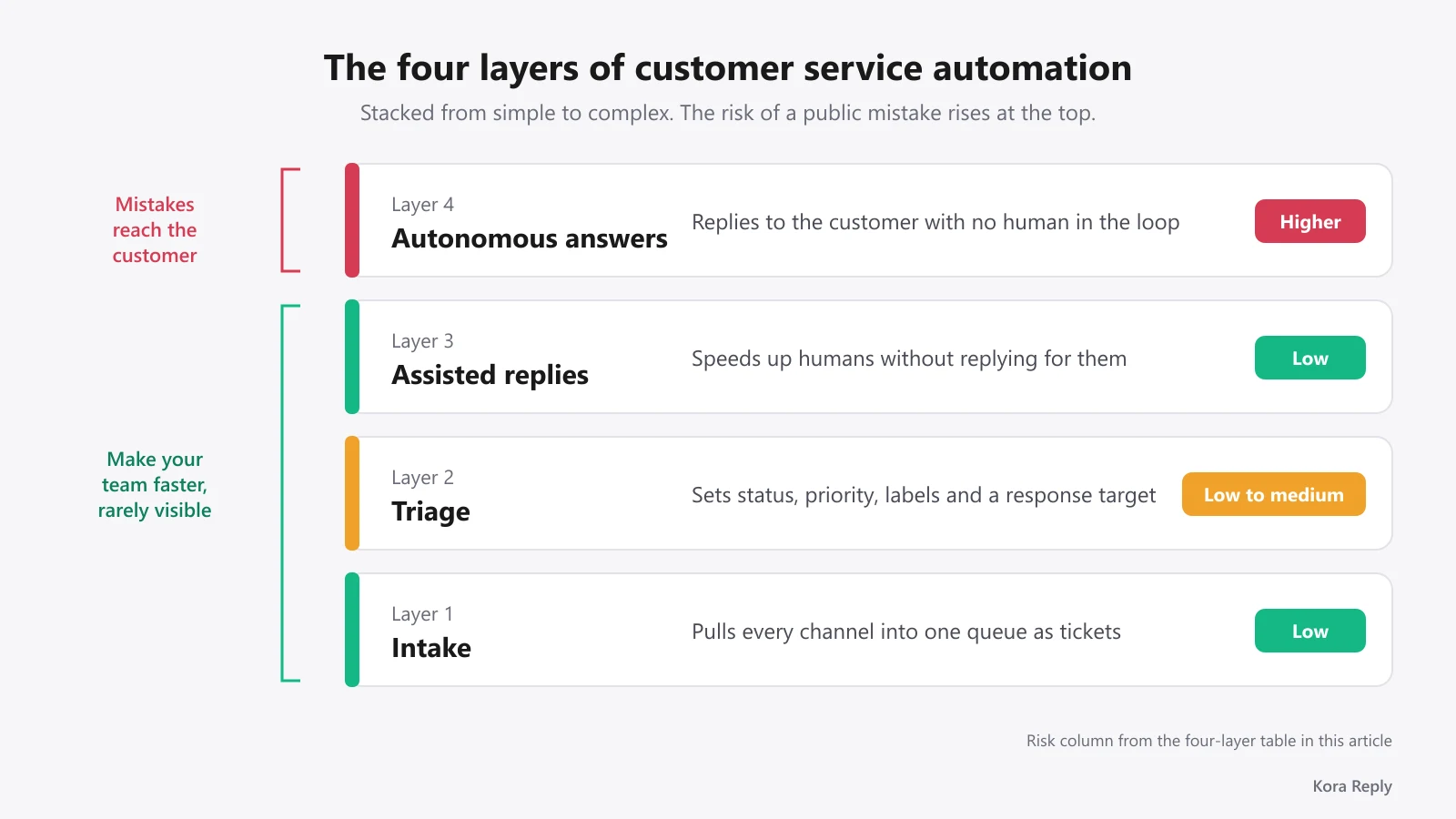
Most articles about customer service automation jump straight to AI chatbots. That skips the layers that do most of the work. It helps to think of automation as four layers, stacked from simple to complex.
The four layers of automation
| Layer | What it does | Example | Risk if it goes wrong |
|---|---|---|---|
| 1. Intake | Pulls every channel into one queue and creates a ticket | Email, chat widget and WhatsApp land in one shared inbox | Low: a message lands in the wrong folder |
| 2. Triage | Sets status, priority, labels and a response target | "Payment failed" gets high priority and a 1-hour first response target | Low to medium: wrong priority |
| 3. Assisted replies | Speeds up humans without replying for them | An agent types "/" and inserts a saved reply with the customer's name filled in | Low: a human still reviews it |
| 4. Autonomous answers | Replies to the customer with no human in the loop | An AI agent answers "How do I reset my password?" from a help article | Higher: a wrong answer reaches the customer directly |
The order matters. Layers 1 to 3 make your team faster and almost never embarrass you in front of a customer. Layer 4 is where the big promises live, and also where the mistakes are public. In our view, a team that skips straight to layer 4 usually ends up with a fast bot sitting on top of a messy queue.
Automation vs. AI: not the same thing
Rule-based automation follows instructions you write: "if the subject contains refund, set priority to high." It is predictable and cheap. AI automation reads the message and decides what it means, which handles messy wording much better but can be confidently wrong. A healthy help desk automation setup uses both: rules for anything that must be predictable (priority, response targets, sensitive topics) and AI for understanding free text and drafting answers from approved content.
Key takeaway: Customer care automation is mostly plumbing. Get intake and triage right first, and every later layer, including AI, gets more accurate.
Why small teams should automate customer support now
The usual argument for automation is cost. For a small team, the stronger argument is attention. Every minute spent copying an answer, chasing a status or figuring out who owns a ticket is a minute not spent with a customer.
Salesforce's State of Service report puts a number on it: 81% of service representatives say building relationships with customers is an important part of their job, yet they spend less than half their time (46%) with customers, partly because of administrative tasks and internal responsibilities. That gap is exactly what layers 1 to 3 close.
Customer expectations are also moving. In Zendesk's CX Trends 2026 research, 74% of consumers say that, due to AI, they now expect customer service to be available 24/7, and 88% of customers expect faster response times than they did a year ago. A three-person team cannot staff a 24/7 rota. It can, however, answer the common questions around the clock and make sure the rest are waiting in the right order when people log in.
Adoption is no longer the exception either. HubSpot's State of Customer Service report found that 77% of service teams are using AI, and 92% of respondents say AI improves time to resolution. And Salesforce reports that service professionals expect 50% of service cases to be resolved by AI by 2027, up from 30% in 2025.
Benchmark: The same Salesforce report names customer FAQs as the leading use case for AI agents. That is a useful reality check: the first win is answering the questions you already answer every day, not exotic use cases.
Here is the contrarian part. None of these numbers mean a small team should automate everything. They mean customers will judge you against companies that answer instantly. The way to compete is to automate the predictable, frequently asked questions well, and to make the human path faster for everything else.
Customer service automation examples that pay off first
These are the automations we would set up first for a small team, roughly in order of effort versus payoff.
 Sort work by risk, not by channel: predictable questions go to automation, sensitive or unclear ones go straight to a person.
Intake and triage automations
- One queue for every channel. Email, the chat widget on your site and WhatsApp should create tickets in the same place. Without this, nobody knows the true workload. If your team still lives in Outlook, our guide on how to add a shared inbox to Outlook shows the quick fix, and its limits.
- Automatic priority and response targets. Set a first response target per priority (for example, urgent in 1 hour, normal in 8 business hours) and let the system calculate the due time using your business hours. This is the core of SLA management and it is the single best defense against tickets quietly going stale.
- Labels from the subject and first message. Billing, bug, how-to, shipping. Labels make reporting possible later.
Reply automations
- Saved replies with variables. A saved reply that fills in the customer's first name and order number saves time on every ticket and keeps tone consistent. Need a starting set? Our free canned response generator drafts them for common situations, and the guide to writing a customer service email covers the tone.
- Email-to-ticket threading. Replies from customers should attach to the existing ticket, not open a new one. Good email ticketing handles this so you never answer the same customer twice.
Self-service and AI automations
- A public knowledge base. Every answer you write twice should become an article. A knowledge base is the cheapest automation there is: customers serve themselves, and it becomes the source of truth for any AI you add later.
- An AI agent that answers from that knowledge base. Once your top questions are documented, an AI help desk agent can answer them in chat or email, with links to the articles it used.
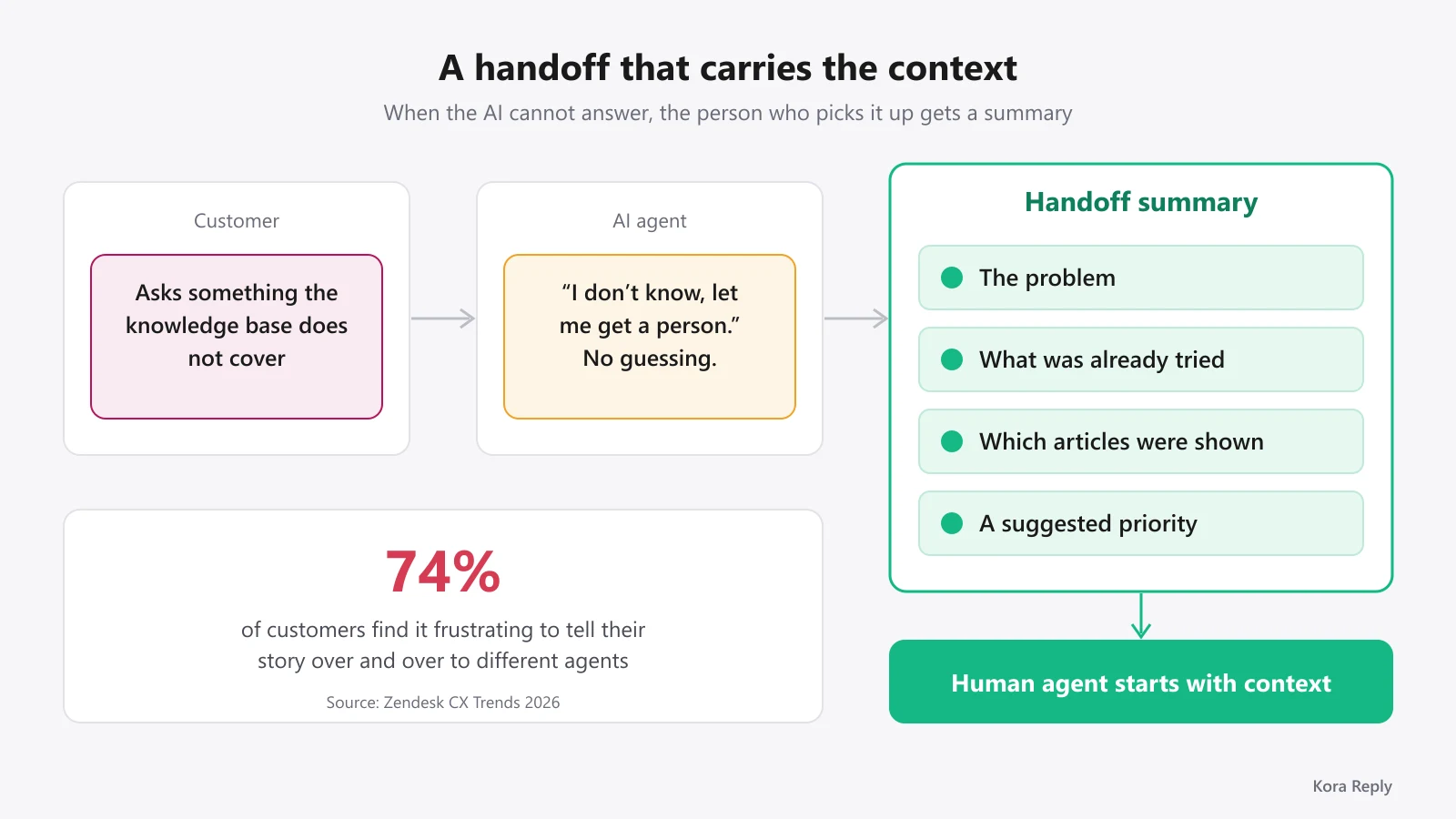
- Handoff with a summary. When the AI cannot answer, the conversation should reach a human with a short summary: the problem, what was already tried, which articles were shown and a suggested priority.
That last point is underrated. Zendesk's research found that 74% of customers find it frustrating to tell their story over and over to different agents. An automated handoff summary is the cheapest fix for that frustration, and it is also why we made the summary a required step in Kora Reply's AI agent rather than an optional extra.
Pro tip: Write your first ten knowledge base articles from your last 100 tickets, not from your product docs. Customers ask in their own words, and the AI will match their words better if the articles use them too.
What you should never automate
Every automation guide lists what to automate. Fewer say what to leave alone, and for a small business this list protects your reputation more than any feature.
Keep these human, every time:
- Refunds, chargebacks and billing disputes. Money questions are emotional and often involve exceptions. An AI that promises a refund it cannot grant creates a bigger problem than a slow reply.
- Complaints and angry customers. A customer who is already upset and then meets a bot feels dismissed. Route these straight to a person.
- Legal, privacy and account security. Data deletion requests, suspected account takeovers and anything involving a lawyer need a human and, often, a paper trail.
- Anything your knowledge base does not cover. If there is no approved article, the AI should not improvise. "I don't know, let me get a person" is a good answer. A confident guess is a bad one.
- Explicit requests for a human. If someone types "agent", "human" or "real person", hand off immediately.
Customers also want to know how automated decisions are made. In Zendesk's CX Trends research, 95% of consumers expect an explanation for decisions made by AI. Being open that the first reply comes from an AI assistant, and showing the article it used, builds more trust than pretending the bot is a person.
When we designed the AI agent in Kora Reply, these were the rules we started from: it answers only from published knowledge base articles, cites them, never promises refunds, discounts or deadlines, and hands sensitive topics to a human with a summary. We would recommend the same rules whatever tool you choose.
A 90-day rollout plan for a 2 to 12 person team
Big-bang automation projects fail in small teams because nobody has time to babysit them. This phased plan keeps each step small enough to finish in normal working weeks.
 Roll out automation in three steps: fix intake first, then speed up replies, then let AI answer what is already documented.
Days 1 to 30: fix intake and triage
- Move every support channel into one shared inbox. Turn off personal-inbox support.
- Define three or four priorities and a first response target for each, using your real business hours.
- Agree on who owns unassigned tickets each day. Automation cannot fix unclear ownership.
- Export your last 100 to 200 conversations and group them by topic. This list drives everything that follows.
Days 31 to 60: speed up replies and build the knowledge base
- Turn your top 10 to 15 topics into saved replies with variables.
- Turn the same topics into public knowledge base articles. Short, one question per article, written in your customers' words.
- Review response target breaches weekly. A breach usually means a rule or an ownership problem, not a lazy agent.
Days 61 to 90: add AI on top of documented answers
- Switch on an AI agent for one channel first, usually the chat widget.
- Read every AI conversation for the first two weeks. Each wrong or weak answer is a missing or unclear article; fix the article, not the prompt.
- Expand to email and WhatsApp only when the handoff rate is stable and repeat contacts are not rising.
| Phase | Main goal | Done when |
|---|---|---|
| Days 1 to 30 | One queue, clear priorities | No ticket older than its response target without an owner |
| Days 31 to 60 | Faster, consistent replies | Top 10 to 15 topics have a saved reply and an article |
| Days 61 to 90 | AI answers documented questions | AI conversations reviewed for 2 weeks, handoffs carry a summary |
Key takeaway: The knowledge base is the real automation project. The AI agent is the last 10 percent of the work and depends on the first 90.
How to choose customer service automation software
Feature lists for automated customer service software look almost identical. The differences that matter for a small team are channels included at the entry price, how AI is billed, and how much setup the tool needs before it helps.
Understand the AI pricing model before you compare
Many vendors charge per seat and then add a fee each time the AI resolves a conversation (vendors call the billable unit a resolution, an outcome or an automated interaction). As of October 2026, the official pricing pages list:
| Vendor | AI pricing unit (as of October 2026) | Source |
|---|---|---|
| Intercom | From $0.99 per Fin AI Agent outcome | intercom.com/pricing |
| Help Scout | $0.75 per AI resolution, billed monthly | helpscout.com/pricing |
| Gorgias | $0.85 to $1.00 per automated AI Agent interaction, depending on plan ($1.00 on Starter) | gorgias.com/pricing |
Per-resolution pricing is fair in one sense: you only pay when the AI succeeds. The catch is that your bill grows exactly as the AI gets better, which makes budgeting hard for a small team. The alternative model is an AI quota included in the plan, where every AI-answered conversation counts against a fixed monthly pool and extra capacity is bought in packs. Neither is automatically cheaper. Take your real monthly conversation count, estimate how many the AI could handle, and price both models with your own numbers. Vendor prices change often, so check the official pages on the day you decide.
A short checklist for small teams
- Channels at the entry price: are email, live chat and the knowledge base included, or only on a higher tier?
- AI grounded in your content: does the AI answer only from your articles and show sources, or can it improvise?
- Handoff quality: does the human receive a summary, or just a transcript?
- Response targets with business hours: can you set targets per priority that respect weekends and holidays?
- Setup time: can one person configure it in an afternoon, or does it need an admin?
- Exit path: can you export your conversations and articles if you leave?
For a wider comparison of tools, see our roundup of the best help desk software. If you are a very small business, the help desk for small business page explains how our product is set up for teams of a few people, and pricing shows what each plan includes. Kora Reply is a new product, so judge it on a trial with your own tickets rather than on our word.
Metrics that prove your helpdesk automation works
Automation that nobody measures tends to drift. A rule that made sense in March misroutes tickets in June after a product change. Track two kinds of metrics: outcome metrics and failure metrics.
Outcome metrics
- First response time: should drop in the first 30 days as triage and saved replies kick in.
- Time to resolution: should drop more slowly, since many tickets still need investigation.
- Customer satisfaction (CSAT): the guardrail. If speed goes up and CSAT goes down, the automation is answering fast but badly. Use our CSAT calculator and these customer satisfaction survey questions to measure it.
Failure metrics most teams forget
- Handoff rate: the share of AI conversations passed to a human. A very low rate can be a warning sign: it may mean the AI is answering things it should not.
- Repeat contact rate: customers who come back about the same issue within seven days. This is the most honest measure of whether an automated answer actually solved anything.
- "Human, please" rate: how often customers ask for a person. Rising numbers mean the automation is in their way.
- Response target breaches by priority: a cluster of breaches in one priority usually points to a routing rule that needs fixing.
| Signal | Healthy direction | What to do if it moves the wrong way |
|---|---|---|
| First response time | Down | Check triage rules and ownership of unassigned tickets |
| CSAT | Flat or up | Read low-scored automated conversations; rewrite the articles behind them |
| Repeat contacts in 7 days | Down | Find topics where answers are incomplete |
| "Human, please" requests | Down | Make handoff easier and earlier |
Pro tip: Review ten AI conversations every Friday, five handed off and five not. It takes 20 minutes and catches most problems before customers notice them.
Customer service automation done well feels invisible to customers: they get a quick, correct answer or reach the right person who already knows their problem. Start with intake and triage, build the knowledge base from real questions, and add AI last. Want to go deeper? Read our guide to AI customer service, or start with the basics of a help desk.
Frequently asked questions
Customer service automation is the use of software to handle repeatable support work without a person doing it by hand: sorting and tagging incoming messages, setting priority and response targets, inserting saved replies, answering common questions from a knowledge base, and handing complex cases to a human with a summary.
For a small team, no. Automation removes the repetitive parts of the job (triage, copy-paste answers, status chasing) so agents spend more time on conversations that need judgment. Sensitive topics such as refunds, complaints, legal questions and account security should always reach a person.
Start with intake and triage: one shared inbox, automatic priority and response targets, and saved replies for your ten most common questions. Add an AI agent only after your knowledge base covers those questions well, because an AI agent can only be as accurate as the articles it reads.
Pricing models differ. Many help desks charge per seat and then add a fee for each AI resolution. As of October 2026, Intercom lists Fin from $0.99 per outcome, Help Scout lists $0.75 per AI resolution and Gorgias lists $0.85 to $1.00 per automated AI Agent interaction, depending on plan, on their official pricing pages. Other tools include an AI quota in the plan price. Model your real volume before comparing.
No. A chatbot is one form of automation. Most of the time savings for small teams come from less visible automation such as routing, priority rules, response targets, saved replies and handoff summaries. A chatbot without those pieces often just moves the queue somewhere else.
Track first response time, time to resolution and CSAT, but also failure signals: the share of AI conversations handed to humans, repeat contacts within seven days, and how often customers ask for a person. If those failure numbers rise, fix the knowledge base or the rules before adding more automation.
Yes, as long as you use the official WhatsApp Business Platform and follow Meta's messaging rules. The same principles apply as for email and live chat: answer from approved content, route by topic and priority, and hand off to a human when the question is sensitive or unclear.
Sources
- Salesforce, State of Service Report: salesforce.com/service/resources/state-of-service-report (81% / 46% time with customers; 50% of cases resolved by AI by 2027, up from 30% in 2025; customer FAQs as the leading AI agent use case)
- Zendesk, CX Trends 2026: cxtrends.zendesk.com (74% expect 24/7 service due to AI; 88% expect faster responses; 74% frustrated by retelling their story; 95% expect an explanation for AI-made decisions)
- HubSpot, The State of Customer Service and Customer Experience (CX) in 2024: blog.hubspot.com/service/state-of-service-report (77% of service teams use AI; 92% say AI improves time to resolution)
- Intercom pricing: intercom.com/pricing (from $0.99 per Fin AI Agent outcome, checked October 2026)
- Help Scout pricing: helpscout.com/pricing ($0.75 per resolution, checked October 2026)
- Gorgias pricing: gorgias.com/pricing ($1.00 Starter, $0.90 Basic and Pro, $0.85 Advanced per automated AI Agent interaction, checked October 2026)
Related articles
 Support skills
Customer Service Email: Write Replies That Solve Problems
How to write a customer service email that fixes the problem in one reply: structure, tone, response times, and 6 email customer service examples to adapt.Read article Customer feedback