Omnichannel customer service: one conversation across every channel
Omnichannel customer service means a customer can reach you on email, live chat or WhatsApp and your team sees one continuous conversation history, whichever channel they use. This guide explains what that takes in practice for a small team, and where it is easy to overbuy.
On this page
One thread per customer conversation
Email replies thread into the same ticket, next to live chat and WhatsApp conversations in the same inbox, so nobody asks a customer to start over.
See email ticketing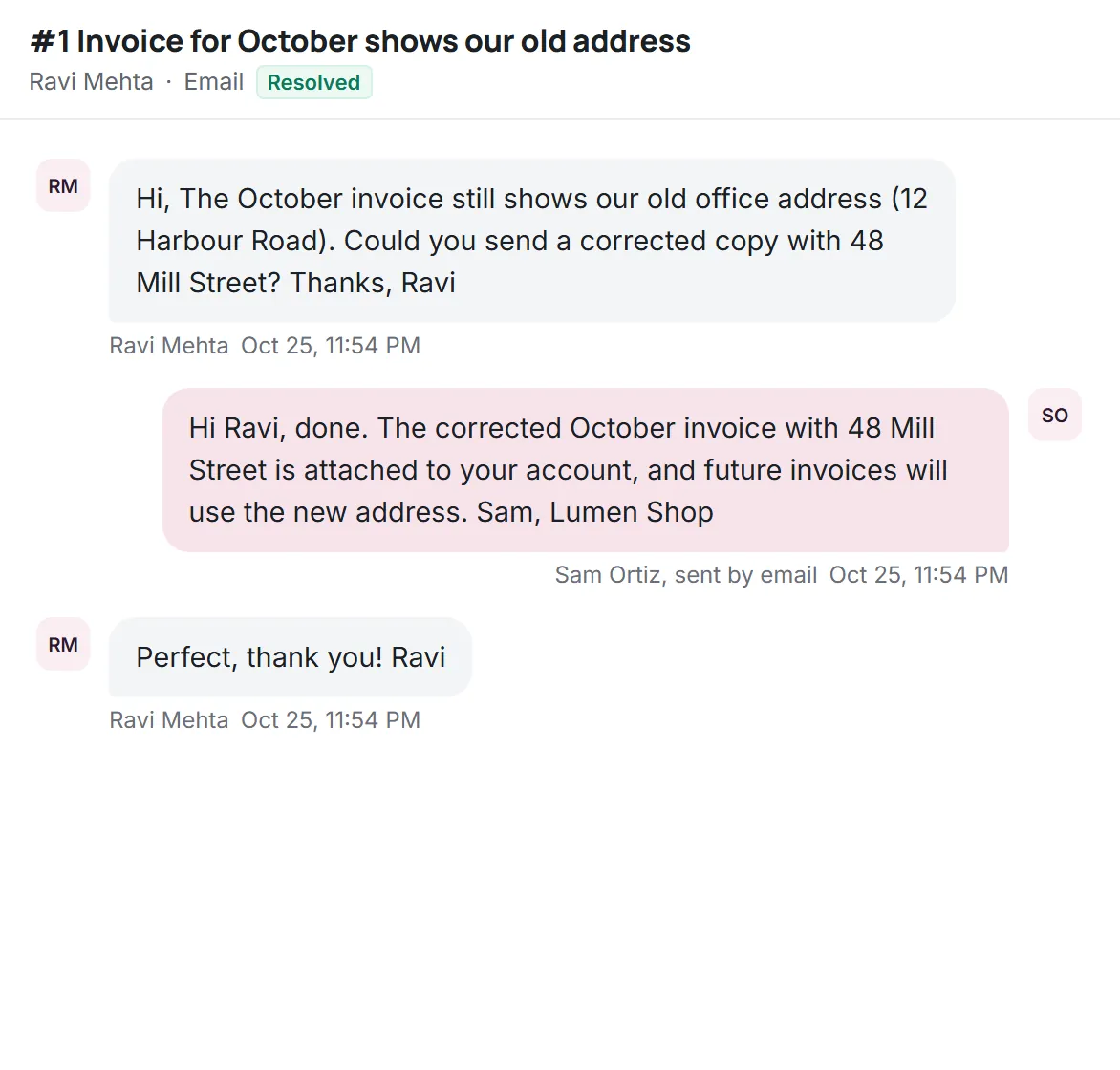
A customer emails on Monday about a delayed order, opens your website chat on Tuesday to ask again, and sends a WhatsApp message on Wednesday. If your team sees three unrelated conversations, three people may give three answers, and the customer has explained the problem three times. Omnichannel support exists to prevent exactly that.
What omnichannel means (and how it differs from multichannel)
Omnichannel means that all your channels share one view of the customer and their history. Multichannel simply means you offer several channels. The difference is easiest to see side by side:
| Aspect | Multichannel | Omnichannel |
|---|---|---|
| Where messages live | A separate app or inbox per channel | One shared inbox for every channel |
| Customer history | Split by channel | One timeline per customer |
| Switching channels | Customer starts over | Conversation continues with context |
| Targets and reporting | Measured per tool, if at all | Same response targets and reports everywhere |
| Team workload | Checking several apps | One queue, one set of views |
So when people ask what omnichannel means for customer service, the short answer is: the channel becomes a detail, and the customer and their request become the centre.
Why omnichannel customer service matters
- Customers do not think in channels. They use whatever is closest at the moment, and they expect you to remember them.
- No duplicate work. When two channels carry the same request, one person handles it once.
- Consistent answers. Everyone sees what was already promised.
- Fair workload. A single queue shows the real volume, so no channel quietly falls behind.
- Honest numbers. Response targets and satisfaction can be compared across channels because they are measured the same way.
Which channels a small team actually needs
Omnichannel does not mean every channel. Each one you add is a promise to answer there, and an unanswered channel is worse than no channel. For most small teams, three channels are a sensible start:
- Email, for anything detailed, with attachments or that needs a record.
- Live chat on your website, for quick questions while a customer is deciding or stuck.
- WhatsApp, if your customers already use it to message businesses.
Phone, social media direct messages and SMS can follow when customers clearly ask for them and you have the people to staff them. Starting narrow and doing it well beats starting wide and answering slowly.
One customer, one timeline
The technical heart of omnichannel support is identity: recognising that the email address on Monday and the phone number on Wednesday belong to the same person. Platforms usually match on known identifiers (email address, phone number, a logged-in account) and let agents merge contacts by hand when a match is not automatic.
Once identities are linked, the agent opening Wednesday's WhatsApp message should see Monday's email and Tuesday's chat right next to it, with any ticket status, priority and internal notes. That single view is what turns several channels into one conversation.
Omnichannel routing
Omnichannel routing means deciding who handles each new conversation, regardless of channel, often based on availability, skills or current workload. Large contact centers rely on it: Zendesk, for example, lists omnichannel routing on its Suite Team plan and skills-based routing on Suite Professional (zendesk.com/pricing, checked Oct 2026).
For a team of two to twelve people, simpler rules usually work better: one shared queue, an unassigned view everyone can see, and a clear daily owner for triage. Automated routing pays off when you have specialists, shifts across time zones or high volume. Until then, it adds rules to maintain without saving much time.
Consistency across channels
The same answer should not read the same way on every channel. A refund policy explained in an email can use full paragraphs; the same policy on WhatsApp should fit in a few short lines. What must stay identical is the substance: the policy, the promise and the tone of voice.
- Keep the policy in one knowledge base article and link to it from every channel.
- Use saved replies for the substance, then adjust length for the channel.
- Apply the same response targets by priority, so a WhatsApp message is not treated as less important than an email.
Channel rules and costs
Each channel has its own constraints. Email has threading and deliverability rules. WhatsApp Business has rules about when and how businesses may message customers, and messaging fees set by Meta that change from time to time; check Meta's current WhatsApp pricing documentation before you plan costs. Help desk vendors also price channels differently. Front, for instance, offers WhatsApp on its Professional and Enterprise plans as a native add-on billed at Meta rates plus a 20% admin fee (front.com/pricing, checked Oct 2026).
Measuring omnichannel support
Omnichannel reporting does not need to be elaborate. Track the same few numbers for every channel and compare them side by side: new conversations per week, time to first reply in business hours, overdue conversations and satisfaction after resolution. Add one omnichannel-specific number: how often a customer contacts you on a second channel about a request that is still open. A high rate usually means the first channel was too slow, or that customers were not told when to expect an answer. Watch it fall as response targets are met and expectations are set clearly in auto-replies and chat greetings.
Omnichannel and AI
An AI agent fits naturally into omnichannel support, because it can answer the same question the same way on chat, email and WhatsApp, using one set of articles. The important part is that its handoff lands in the same shared inbox as everything else, with a summary, so the person taking over sees the whole timeline. The AI customer service guide covers handoff rules and rollout in detail.
Setting up omnichannel support step by step
- Start with the channel you already have. For most teams that is email. Forward the support address into the shared inbox and make sure replies go out from it.
- Agree on the basics before adding channels: statuses, priorities, response targets and who checks the unassigned queue.
- Add live chat to the pages where people get stuck, such as pricing, checkout or sign-up, rather than every page at once.
- Connect messaging next, for example WhatsApp, once you can staff it at the same standard as email.
- Write channel-length versions of your saved replies, a full one for email and a short one for chat and WhatsApp.
- Check the customer timeline with a test: write from the same email address on two channels and confirm both messages show up together.
- Review after two weeks: volume per channel, first reply times and any conversations that were split or duplicated.
Omnichannel contact centers vs small teams
Much of what is written about omnichannel comes from large contact centers: dozens or hundreds of agents, phone queues, workforce scheduling and detailed omnichannel reporting. Their omnichannel contact center software is built for that scale, with routing engines, real-time dashboards and integrations with telephony. A small team has a different problem. It does not need to distribute thousands of conversations; it needs to make sure nothing falls between channels and that everyone sees the same history. That is why a well-run shared inbox with one customer timeline often delivers most of the omnichannel benefit for a team of a few people, at a fraction of the setup work.
Choosing an omnichannel platform
Omnichannel platforms range from enterprise contact center software to simple shared inboxes. For a small team, these questions narrow the field quickly:
- Which channels are on the plan you would buy? Some vendors sell omnichannel separately. Freshworks, for example, sells it as Freshdesk Omni, from $29 per agent per month billed annually (freshworks.com/freshdesk/omni/pricing, checked Oct 2026).
- Is there one timeline per customer, or just one app with several inboxes?
- Do targets and saved replies work the same on every channel?
- How are channel fees passed on? At cost, or with a markup?
- Does the AI agent cover every channel, and is it priced per resolution or included?
Our alternatives hub compares these points across six well-known tools, using only facts from their official pricing pages.
Omnichannel mistakes to avoid
- Opening channels you cannot staff. A chat widget that nobody answers for hours sets a worse expectation than no chat at all. Show offline hours honestly, or collect an email address instead.
- Different rules per channel. If WhatsApp messages are answered faster than email for no reason, customers learn to use the channel that gets attention, and the email queue suffers.
- Copy-pasting long emails into chat. The substance should match; the length should fit the channel.
- Treating the channel as the ticket. A customer who writes twice on two channels about one order has one request. Merge or link the conversations so one person owns it.
- Forgetting the cost per channel. Messaging fees and add-on prices can grow quietly with volume. Review them monthly.
Omnichannel support in Kora Reply
Kora Reply brings email, a live chat widget and WhatsApp into one shared inbox, with the same tickets, priorities, response targets and saved replies on every channel. WhatsApp connects your own WhatsApp Business number through Meta's official Cloud API, with Meta's fees paid directly to Meta; it is available on the paid plans and currently in beta. Email and live chat are on every plan, including Free. The AI agent answers on these channels from your knowledge base and hands off into the same inbox.
Frequently asked questions
It means every channel a customer uses, such as email, live chat and WhatsApp, feeds one shared view of the customer and their history, so the conversation continues with context when they switch channels.
Multichannel means offering several channels. Omnichannel means those channels share one inbox and one customer timeline, so the team never starts from zero.
Start with email, live chat on your website and, if your customers use it, WhatsApp. Add phone or social channels only when customers ask for them and you can staff them.
Usually not at first. A shared queue with an unassigned view and a daily triage owner works for teams up to about a dozen people. Automated routing pays off with specialists, shifts or high volume.
Often, yes. Meta charges messaging fees under its own pricing, and some help desks add a fee on top. Check both before you plan.
Run your support desk from one calm inbox
Kora Reply gives a small team a shared inbox, tickets with response targets, a public knowledge base and an AI agent that hands off with a summary. The Free plan needs no card.